

Compare Creality 3D K1C vs Creality 3D Ender 3 S1 PRO
Comparison between the best 3D printers
Choose the best 3D printer at the best price. The cheapest 3D printers are here.
Buy a 3D printer here with 3D Fila.
 |
 |
|
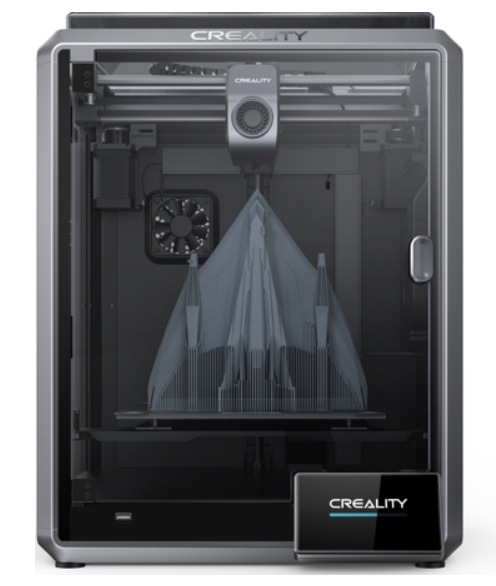
| Model | Creality 3D K1C[BUY K1C] |
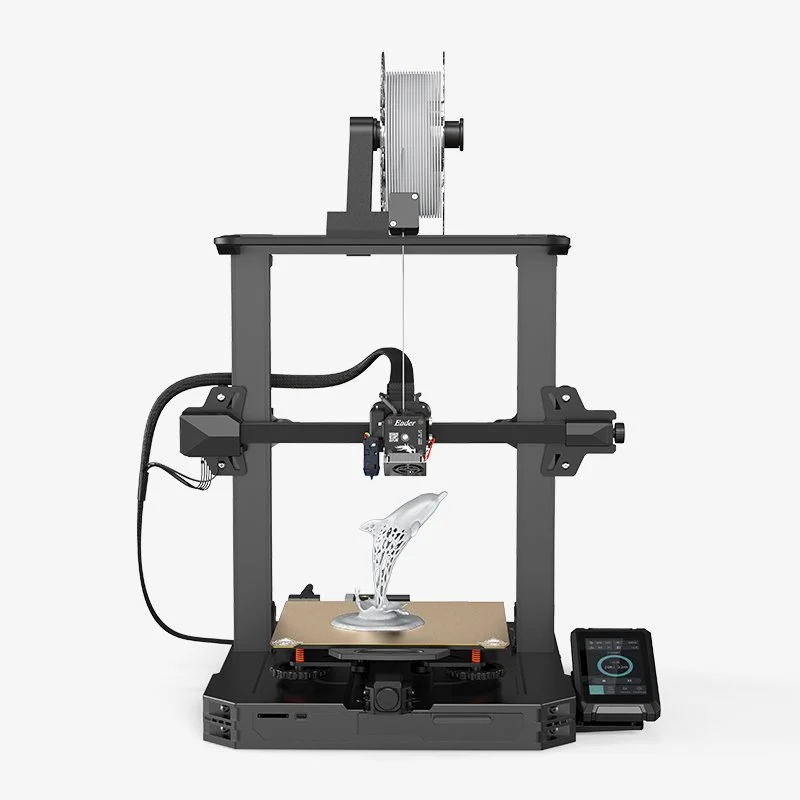
Creality 3D Ender 3 S1 PRO[BUY Ender 3 S1 PRO] |
| Printing Material | Filament | Filament |
| Estimated price | $449,00 | $499,00 |
| Date of registration in the system | ||
| Manufacturer | Creality 3D | Creality 3D |
| Release Year | 2024 | 2022 |
| Print Volume [mm] | 220x220x250 | 220x220x270 |
| Printer Size [mm] | 355x355x480 | 450x49x620 |
| Weight [kg] | 12,4 | 8,7kg |
| Power Loss Recovery | YES | YES |
| Enclosed printer | YES | NO |
| Bed Leveling | Automatic | Automatic |
| Filament End Sensor | YES | YES |
| Bed type | Heated | Heated |
| Power supply system | Direct Drive | Direct Drive |
| Standard nozzle | 0,4 | 0,4 |
| Maximum Nozzle Temperature [°C] | 300 | 300 |
| Maximum Bed Temperature [°C] | 120 | 110 |
| Maximum printing speed [mm/s] | 600 | 150 |
| Filament holder | YES | YES |
| Camera for supervision | YES | NO |
| Recommended filaments | ABS, PLA, PETG, PET, TPU, PA, ABS, ASA, PC, PLA-CF, PA-CF, PET-CF | PLA, PETG |
| Recommended slicers | Creality Print; Cura, Simplify3D e PrusaSlicer | Cura, Simplify, Slic3r |
| Maximum Resolution [mm] | 0,1 | 0,1 |
| Kinematics | - | - |
| Extruder Type | - | - |
| Klipper Firmware | NO | NO |
| Input Shaping | NO | NO |
| Max Volumetric Flow [mm³/s] | - | - |
| Power Supply | 110/220V / 350W | 350 |
| Connectivity | Ethernet / USB / Wi-Fi | SD |
| Release date | 2024 | 2022 |
| Extra features | The Creality K1C is a fully enclosed CoreXY 3D printer featuring an all-metal extruder, tri-metal âUnicornâ nozzle for abrasive materials, automatic bed leveling with nozzle cleaning, AI-assisted failure detection, built-in camera for timelapse, enhanced cooling system, root access to Klipper firmware, and compatibility with PLA-CF, PA-CF, PET-CF, TPU, ABS, and more. | Creality's Ender 3 S1 PRO is an innovation in the Ender 3 series, featuring a Sprite Pro Extruder capable of reaching 300°C and dual lead screws on the Z axis, ensuring greater stability and print quality. Its PEI-coated print bed, combined with CR-Touch automatic leveling, provides excellent adhesion and ease of part removal. The user interface, via a 4.3-inch touchscreen, offers intuitive and efficient control, although it has some limitations regarding the handling of long file names and navigation. The well-designed extruder ensures effective cooling and handling of various filaments, although there may be a slight ghosting effect at high speeds due to its weight. This printer represents a balance between technological advances and operational challenges, remaining faithful to the quality expected of the Ender line. |
| Support for multiple colors and materials (AMS and CFS) | NO | NO |
Notes * |
||
| Cost-benefit | 8 / 10 | 7 / 10 |
| Hardware | 4.8 / 10 | 2.4 / 10 |
| Screen | . | . |
| Print volume | 10 / 10 | 10 / 10 |
| Performance | 10 / 10 | 7 / 10 |
| [BUY K1C] | [BUY Ender 3 S1 PRO] |
Conclusion |
| In comparing the Creality K1C and Ender 3 S1 PRO 3D printers, both models offer compelling features tailored to meet different user needs. The K1C, being a newer release from 2024, boasts advanced capabilities such as a fully enclosed structure, enhanced cooling, and superior print speeds of up to 600 mm/s. This model is particularly well-suited for a wide range of filaments, thanks to its robust design and specific features aimed at high-performance printing. On the other hand, the Ender 3 S1 PRO, although released in 2022, remains a popular choice due to its reputation for reliability within the Ender series. It features a more traditional open-frame design and is limited to a maximum print speed of 150 mm/s. While it does offer solid performance, especially with PLA and PETG, its limitations in speed and potential issues at high velocities may deter users needing rapid production capabilities. When considering price, the K1C positions itself as the more economical choice despite being the newer model, especially given its enhanced features and overall capabilities. The Ender 3 S1 PRO, while slightly more expensive, may appeal to those loyal to the Ender series looking for stability and consistent output. Ultimately, the decision between the K1C and the Ender 3 S1 PRO should be guided by your specific printing requirements, budget, and preference for features. The K1C stands out for those who prioritize advanced technology and speed, whereas the Ender 3 S1 PRO remains a solid choice for dependable, everyday use. |