

Compare Creality 3D Ender 5 vs Creality 3D Ender 3 S1 PRO
Comparison between the best 3D printers
Choose the best 3D printer at the best price. The cheapest 3D printers are here.
Buy a 3D printer here with 3D Fila.
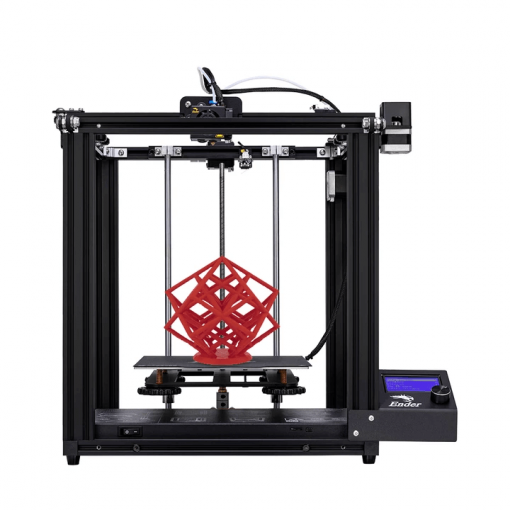 |
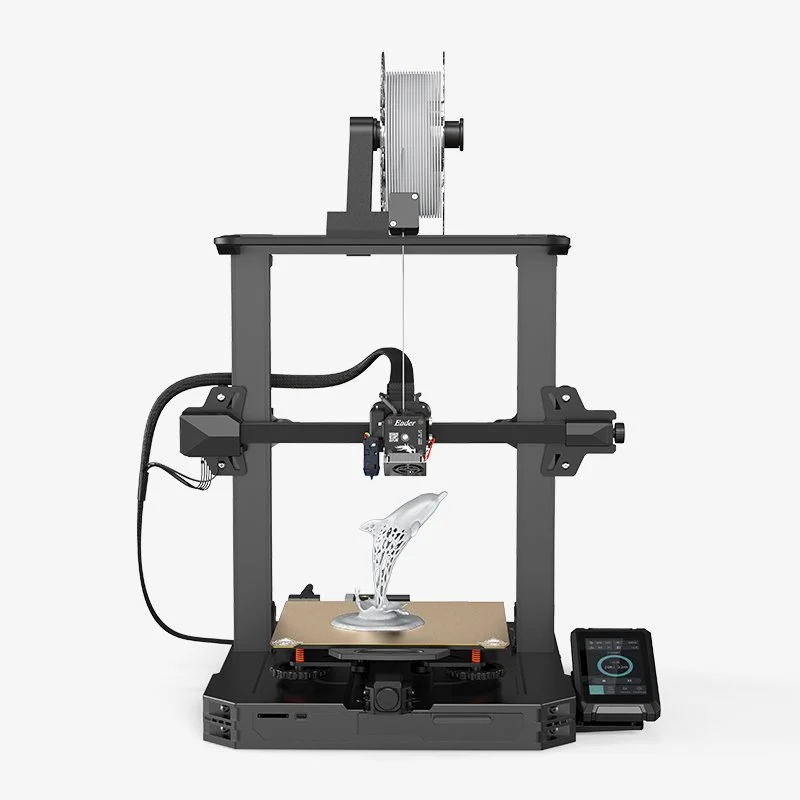 |
|
| Model | Creality 3D Ender 5[BUY Ender 5] |
Creality 3D Ender 3 S1 PRO[BUY Ender 3 S1 PRO] |
| Printing Material | Filament | Filament |
| Estimated price | $399,00 | $499,00 |
| Date of registration in the system | ||
| Manufacturer | Creality 3D | Creality 3D |
| Release Year | 2020 | 2022 |
| Print Volume [mm] | 220x220x300 | 220x220x270 |
| Printer Size [mm] | 485x510x552 | 450x49x620 |
| Weight [kg] | 11,8 | 8,7kg |
| Power Loss Recovery | YES | YES |
| Enclosed printer | NO | NO |
| Bed Leveling | Manual | Automatic |
| Filament End Sensor | NO | YES |
| Bed type | Heated | Heated |
| Power supply system | Bowden | Direct Drive |
| Standard nozzle | 0,4 | 0,4 |
| Maximum Nozzle Temperature [°C] | 255 | 300 |
| Maximum Bed Temperature [°C] | 100 | 110 |
| Maximum printing speed [mm/s] | 180 | 150 |
| Filament holder | YES | YES |
| Camera for supervision | NO | NO |
| Recommended filaments | PLA, TPU, ABS, PETG | PLA, PETG |
| Recommended slicers | Cura, Simplify, Slic3r | Cura, Simplify, Slic3r |
| Maximum Resolution [mm] | 0,1 | 0,1 |
| Kinematics | - | - |
| Extruder Type | - | - |
| Klipper Firmware | NO | NO |
| Input Shaping | NO | NO |
| Max Volumetric Flow [mm³/s] | - | - |
| Power Supply | 24V / 360W | 350 |
| Connectivity | SD / USB | SD |
| Release date | 2020 | 2022 |
| Extra features | Crealityâs Ender 5 stands out with a solid frame and a larger 220 x 220 x 300mm print volume. Its assembly is simple and quick, offering high print quality and speeds of up to 80mm/s. With a magnetic bed, it makes it easy to remove prints. Notable for being hackable and expandable, the Ender 5 continues Crealityâs innovative tradition in the affordable 3D printer market. Equipped with a 350W/24V Meanwell power supply, it heats up quickly, in addition to having efficient cable management and modified Marlin firmware. Its unique design includes dedicated stepper motors for each axis and smooth movement on the Y axis, providing more consistent and detailed prints. | Creality's Ender 3 S1 PRO is an innovation in the Ender 3 series, featuring a Sprite Pro Extruder capable of reaching 300°C and dual lead screws on the Z axis, ensuring greater stability and print quality. Its PEI-coated print bed, combined with CR-Touch automatic leveling, provides excellent adhesion and ease of part removal. The user interface, via a 4.3-inch touchscreen, offers intuitive and efficient control, although it has some limitations regarding the handling of long file names and navigation. The well-designed extruder ensures effective cooling and handling of various filaments, although there may be a slight ghosting effect at high speeds due to its weight. This printer represents a balance between technological advances and operational challenges, remaining faithful to the quality expected of the Ender line. |
| Support for multiple colors and materials (AMS and CFS) | NO | NO |
Notes * |
||
| Cost-benefit | 7 / 10 | 7 / 10 |
| Hardware | 0.5 / 10 | 2.4 / 10 |
| Screen | . | . |
| Print volume | 10 / 10 | 10 / 10 |
| Performance | 7 / 10 | 7 / 10 |
| [BUY Ender 5] | [BUY Ender 3 S1 PRO] |
Conclusion |
| In conclusion, both the Creality Ender 5 and Ender 3 S1 PRO offer solid choices for 3D printing enthusiasts, but they cater to slightly different needs and preferences. The Ender 5, which is more established in the market, boasts a larger print volume and a reputation for being hackable and easily modifiable. Its simplicity in assembly and reliable print quality make it a strong contender for those looking for a no-frills, effective 3D printer at a competitive price. On the other hand, the Ender 3 S1 PRO brings several advancements, including automatic bed leveling and a more sophisticated extruder system capable of higher temperature operations. Although it has a slightly smaller print volume, it offers enhanced usability with its touchscreen interface and improved print bed adhesion, catering more to users who value convenience and high-quality prints. When considering cost-effectiveness, both models score similarly, but the Ender 5 presents a more straightforward option for beginners, while the Ender 3 S1 PRO appeals to those ready to invest in a more advanced machine with additional features that enhance the printing experience. Ultimately, the choice between the two should center on the user's specific requirements, skill level, and willingness to engage with potential upgrades or challenges in operation. |