
Compare Creality 3D Ender 3 S1 PRO vs Creality 3D K1C
Comparison between the best 3D printers
Choose the best 3D printer at the best price. The cheapest 3D printers are here.
Buy a 3D printer here with 3D Fila.
 |
 |
|
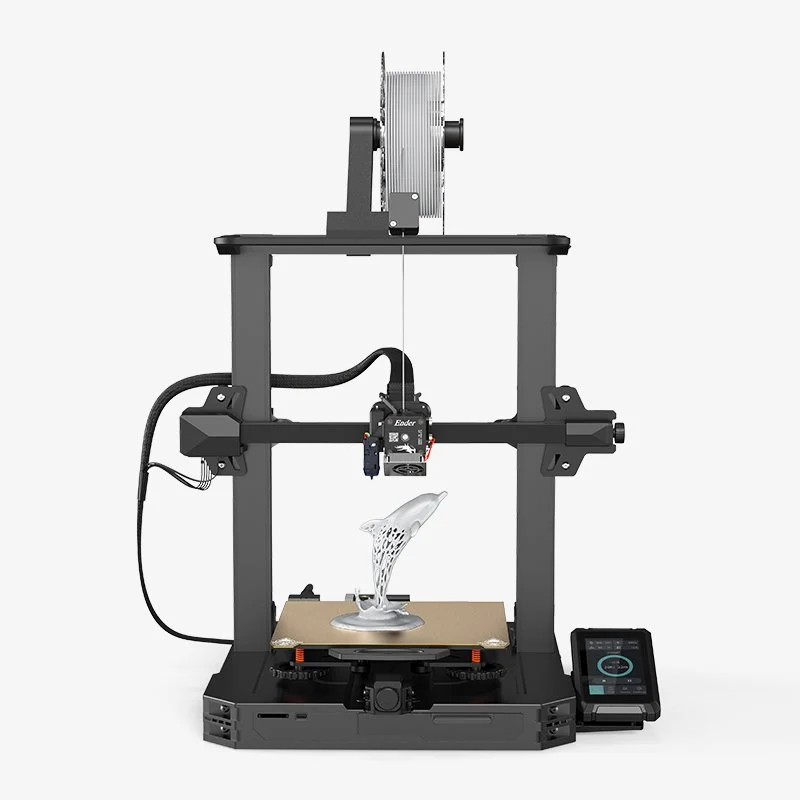
| Model | Creality 3D Ender 3 S1 PRO[BUY Ender 3 S1 PRO] |
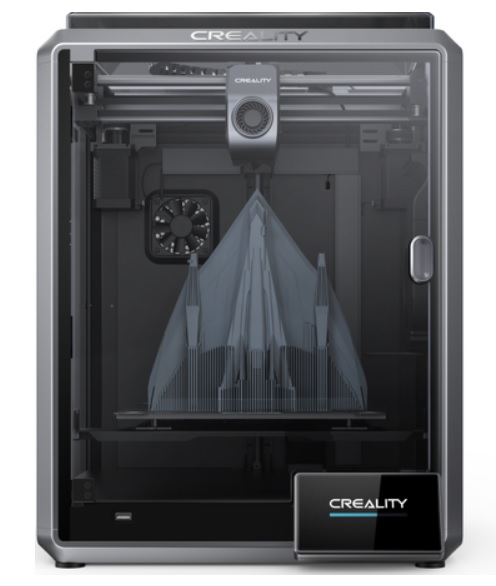
Creality 3D K1C[BUY K1C] |
| Printing Material | Filament | Filament |
| Estimated price | $499,00 | $449,00 |
| Date of registration in the system | ||
| Manufacturer | Creality 3D | Creality 3D |
| Release Year | 2022 | 2024 |
| Print Volume [mm] | 220x220x270 | 220x220x250 |
| Printer Size [mm] | 450x49x620 | 355x355x480 |
| Weight [kg] | 8,7kg | 12,4 |
| Power Loss Recovery | YES | YES |
| Enclosed printer | NO | YES |
| Bed Leveling | Automatic | Automatic |
| Filament End Sensor | YES | YES |
| Bed type | Heated | Heated |
| Power supply system | Direct Drive | Direct Drive |
| Standard nozzle | 0,4 | 0,4 |
| Maximum Nozzle Temperature [°C] | 300 | 300 |
| Maximum Bed Temperature [°C] | 110 | 120 |
| Maximum printing speed [mm/s] | 150 | 600 |
| Filament holder | YES | YES |
| Camera for supervision | NO | YES |
| Recommended filaments | PLA, PETG | ABS, PLA, PETG, PET, TPU, PA, ABS, ASA, PC, PLA-CF, PA-CF, PET-CF |
| Recommended slicers | Cura, Simplify, Slic3r | Creality Print; Cura, Simplify3D e PrusaSlicer |
| Maximum Resolution [mm] | 0,1 | 0,1 |
| Kinematics | - | - |
| Extruder Type | - | - |
| Klipper Firmware | NO | NO |
| Input Shaping | NO | NO |
| Max Volumetric Flow [mm³/s] | - | - |
| Power Supply | 350 | 110/220V / 350W |
| Connectivity | SD | Ethernet / USB / Wi-Fi |
| Release date | 2022 | 2024 |
| Extra features | Creality's Ender 3 S1 PRO is an innovation in the Ender 3 series, featuring a Sprite Pro Extruder capable of reaching 300°C and dual lead screws on the Z axis, ensuring greater stability and print quality. Its PEI-coated print bed, combined with CR-Touch automatic leveling, provides excellent adhesion and ease of part removal. The user interface, via a 4.3-inch touchscreen, offers intuitive and efficient control, although it has some limitations regarding the handling of long file names and navigation. The well-designed extruder ensures effective cooling and handling of various filaments, although there may be a slight ghosting effect at high speeds due to its weight. This printer represents a balance between technological advances and operational challenges, remaining faithful to the quality expected of the Ender line. | The Creality K1C is a fully enclosed CoreXY 3D printer featuring an all-metal extruder, tri-metal âUnicornâ nozzle for abrasive materials, automatic bed leveling with nozzle cleaning, AI-assisted failure detection, built-in camera for timelapse, enhanced cooling system, root access to Klipper firmware, and compatibility with PLA-CF, PA-CF, PET-CF, TPU, ABS, and more. |
| Support for multiple colors and materials (AMS and CFS) | NO | NO |
Notes * |
||
| Cost-benefit | 7 / 10 | 8 / 10 |
| Hardware | 2.4 / 10 | 4.8 / 10 |
| Screen | . | . |
| Print volume | 10 / 10 | 10 / 10 |
| Performance | 7 / 10 | 10 / 10 |
| [BUY Ender 3 S1 PRO] | [BUY K1C] |
Conclusion |
Conclusion: Comparative Analysis of the Ender 3 S1 PRO and K1C 3D Printers When choosing between the Ender 3 S1 PRO and the K1C from Creality 3D, users must consider their specific needs and preferences, as both printers offer distinct advantages and disadvantages. Ender 3 S1 PRO
K1C
Final Verdict The choice between the Ender 3 S1 PRO and the K1C should be guided by the user profile:
Ultimately, both printers have their strengths and cater to different needs. Depending on your experience level and printing requirements, you can confidently choose the model that aligns best with your 3D printing goals. |