
Compare Creality 3D Ender 3 vs Creality Ender 3 V3 KE vs Creality 3D Ender 3 S1
Comparison between the best 3D printers
Choose the best 3D printer at the best price. The cheapest 3D printers are here.
Buy a 3D printer here with 3D Fila.
 |
 |
 |
|
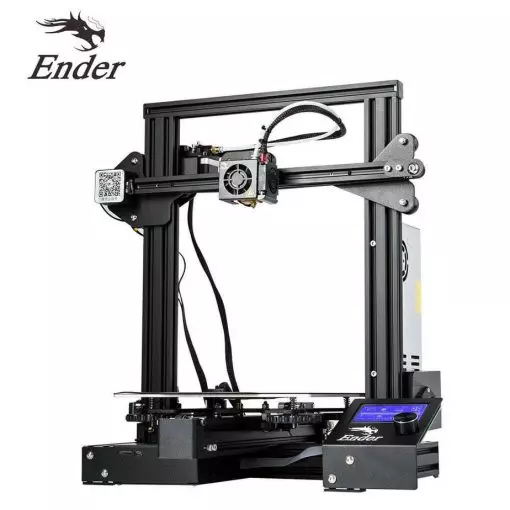
| Model | Creality 3D Ender 3[BUY Ender 3] |
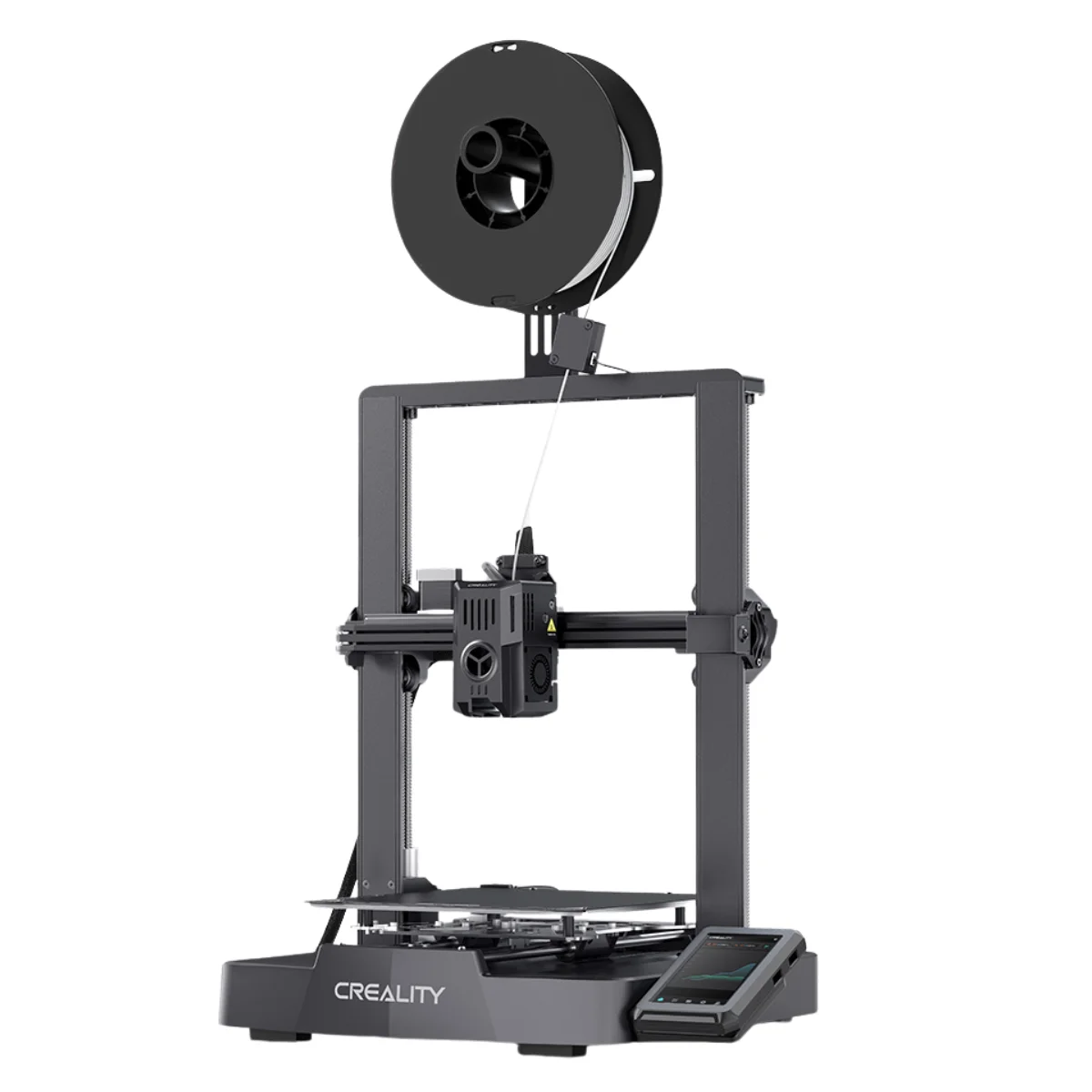
Creality Ender 3 V3 KE[BUY Ender 3 V3 KE] |
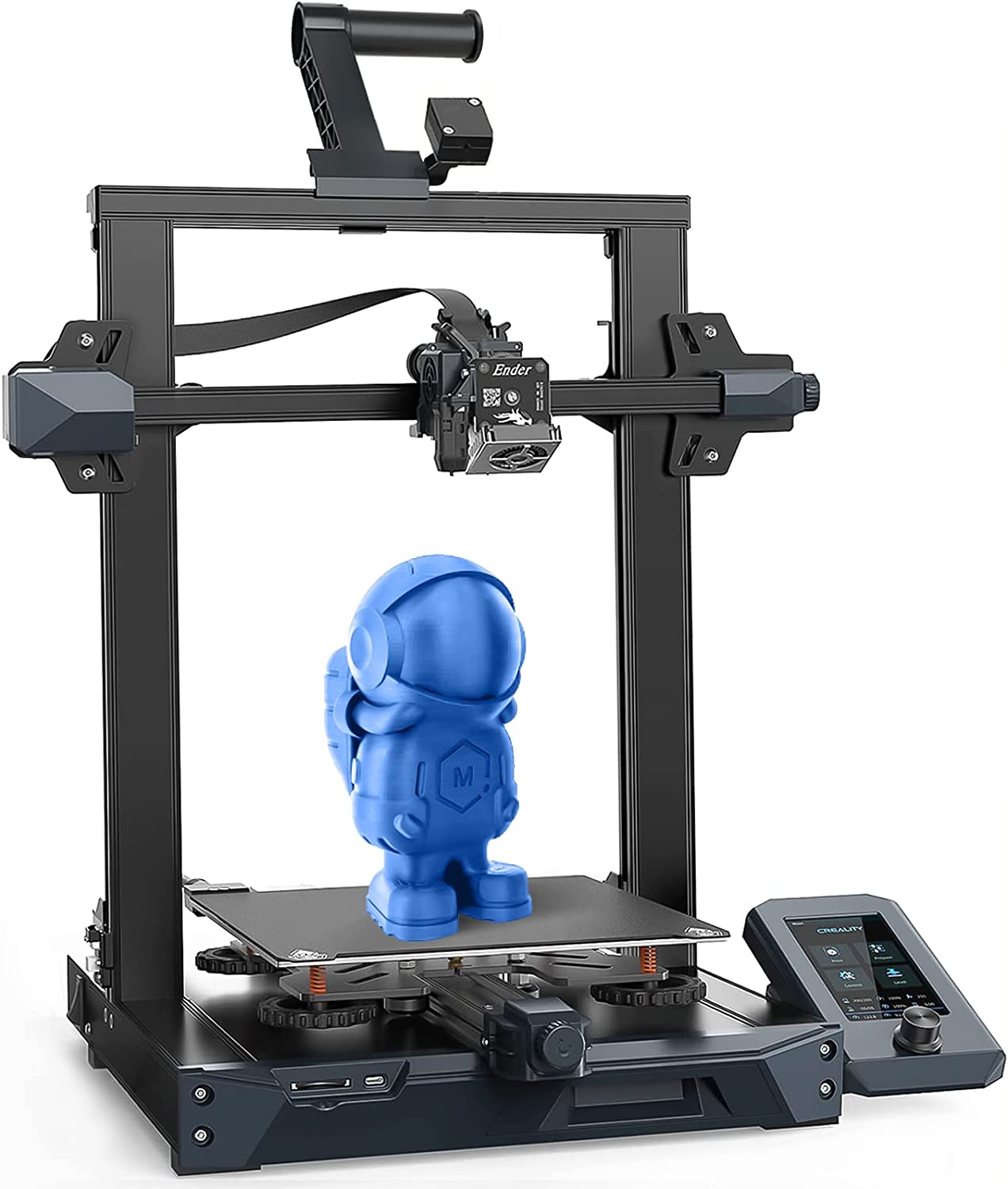
Creality 3D Ender 3 S1[BUY Ender 3 S1] |
| Printing Material | Filament | Filament | Filament |
| Estimated price | $210,00 | $279,00 | $399,00 |
| Date of registration in the system | |||
| Fabricante | Creality 3D | Creality | Creality 3D |
| Release Year | 2018 | 2023 | 2021 |
| Print Volume [mm] | 220x220x250 | 220x220x240 | 220x220x270 |
| Printer Size [mm] | 440x440x465 | 433x366x490 | 455x490x625 |
| Weight [kg] | 6,62 | 7,8 | 9,1 |
| Power Loss Recovery | NO | YES | YES |
| Enclosed printer | NO | NO | NO |
| Bed Leveling | Manual | Automatic | Automatic |
| Filament End Sensor | NO | YES | YES |
| Bed type | Heated | Heated | Heated |
| Power supply system | Bowden | Direct Drive | Direct Drive |
| Standard nozzle | 0,4 | 0,4 | 0,4 |
| Maximum Nozzle Temperature [°C] | 255 | 300 | 260 |
| Maximum Bed Temperature [°C] | 110 | 100 | 100 |
| Maximum printing speed [mm/s] | 180 | 500 | 180 |
| Filament holder | YES | YES | YES |
| Camera for supervision | NO | NO | NO |
| Recommended filaments | PLA, TPU, ABS, PETG | PLA, PETG e TPU (95A+), ASA | PLA, TPU, PETG, ABS |
| Recommended slicers | Cura, Simplify, Slic3r | Creality Print, Cura 5.0 ou superior, Prusa Slicer, Orca | Cura, Simplify, Slic3r, IdeaMaker, Creality Slicer e outros |
| Maximum Resolution [mm] | 0,1 | 0,1 | 0,05 |
| Kinematics | - | - | - |
| Extruder Type | - | - | - |
| Klipper Firmware | NO | NO | NO |
| Input Shaping | NO | NO | NO |
| Max Volumetric Flow [mm³/s] | - | - | - |
| Power Supply | 24V / 270W | 350 W | |
| Connectivity | SD / USB | USB drive, LAN, Creality Cloud APP | SD / USB |
| Release date | 2018 | 2023 | 2021 |
| Extra features | The Ender 3 V1 is a DIY assembly 3D printer, a sales leader since 2017, standing out for its cost-benefit. With a wide printing capacity, it has a CNC machined structure for precision and stability. It offers high-precision prints with low noise, thanks to its innovative V-profile and pulleys. It has a self-adhesive magnetic platform for easy removal of models and excellent adhesion. The Ender 3 heats up quickly, reaching 100°C in 5 minutes, ideal for agile prints. It includes protection against power failures, allowing you to resume printing after interruptions, saving time and material. | The Ender 3 V3 KE, an advancement in the Ender line, achieves print speeds of up to 500mm/s with its touchscreen and WiFi connectivity. Although it has a slightly smaller print area than the SE model, it makes up for it with superior print quality. Its robust design, high-quality components, and intuitive wireless control are appreciated, although Creality's mobile app lacks practicality and does not have a closed system. It stands out for its linear track on the X-axis for stability at high speeds and the hotend that supports up to 300°C, ideal for high-temperature filaments. | The Creality Ender 3 S1 printer stands out for its easy assembly and quiet operation. It has automatic bed leveling and a direct drive system, providing high-quality prints. The design is sleek, with flat cables in mesh sleeves and a magnetic bed. The Creality Sprite extruder is lightweight and developed in-house, supporting a maximum nozzle temperature of 260 degrees. It includes a filament run-out sensor and power loss recovery, with a dual Z-axis for greater support and stability. The build plate is flexible steel with PC coating, and the printer supports a wide variety of filaments. |
| Support for multiple colors and materials (AMS and CFS) | NO | NO | NO |
Notes * |
|||
| Cost-benefit | 8 / 10 | 8 / 10 | 7 / 10 |
| Hardware | 0.5 / 10 | 2.8 / 10 | 2 / 10 |
| Screen | . | . | . |
| Print volume | 10 / 10 | 10 / 10 | 10 / 10 |
| Performance | 7 / 10 | 9 / 10 | 7 / 10 |
| [BUY Ender 3] | [BUY Ender 3 V3 KE] | [BUY Ender 3 S1] |
Conclusion |
| In evaluating the three Ender 3D printer models—Ender 3, Ender 3 V3 KE, and Ender 3 S1—each offers distinct advantages and features that cater to varying user needs and budgets. Starting with the Ender 3, this model is a strong choice for beginners due to its affordability and solid performance. It provides good print quality, a reliable heated bed, and the advantage of a large user community for support. However, it lacks advanced features like automatic bed leveling and power loss recovery, which may hinder usability for some users. The Ender 3 V3 KE marks a significant upgrade in the lineup, introducing features such as higher print speeds and a modern touchscreen interface. It supports advanced materials with improved maximum nozzle temperatures and has automated processes that enhance user experience. The slightly smaller print volume may be a drawback for some, but the overall enhancements justify the price increase for those seeking better performance and convenience. Lastly, the Ender 3 S1 encompasses a blend of user-friendly features like automatic bed leveling and a direct drive system, making it ideal for those wanting consistent high-quality prints with minimal effort. Its increased print height accommodates larger projects, though it comes at a higher cost compared to the other models. In conclusion, your choice will depend on your specific needs and budget. The Ender 3 is excellent for budget-conscious beginners, the Ender 3 V3 KE offers advanced features and faster performance for tech-savvy users, while the Ender 3 S1 stands out for its combination of ease of use and quality output for users willing to invest a bit more for reliability. Each model represents a compelling option within its price range, ensuring there is a suitable printer for a wide spectrum of enthusiasts and professionals alike. |