

Compare BigTreeTech BIQU B1 vs TwoTrees Bluer vs Creality 3D K1 Max
Comparison between the best 3D printers
Choose the best 3D printer at the best price. The cheapest 3D printers are here.
Buy a 3D printer here with 3D Fila.
 |
 |
 |
|
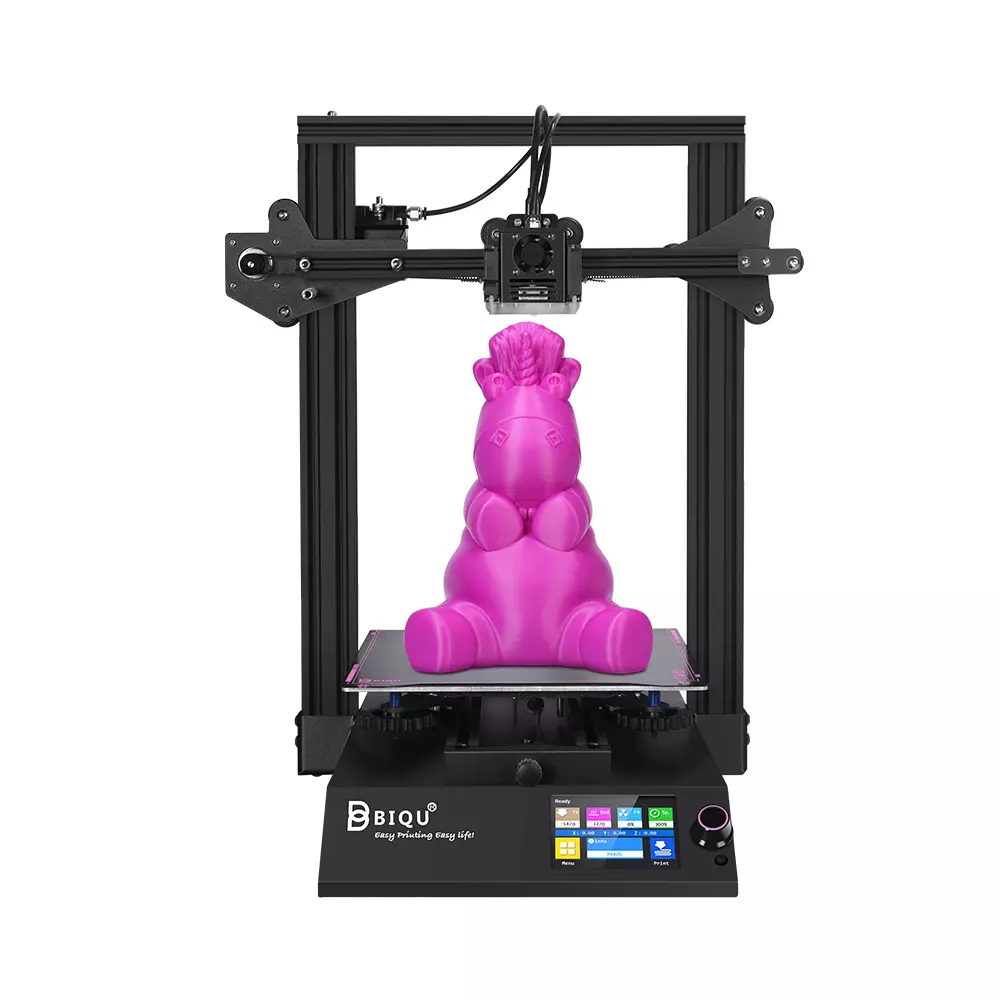
| Model | BigTreeTech BIQU B1 |
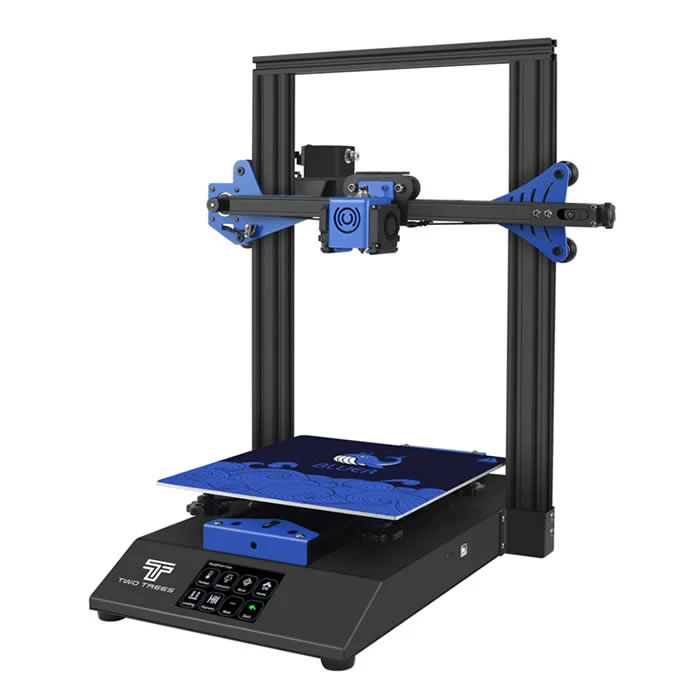
TwoTrees Bluer |
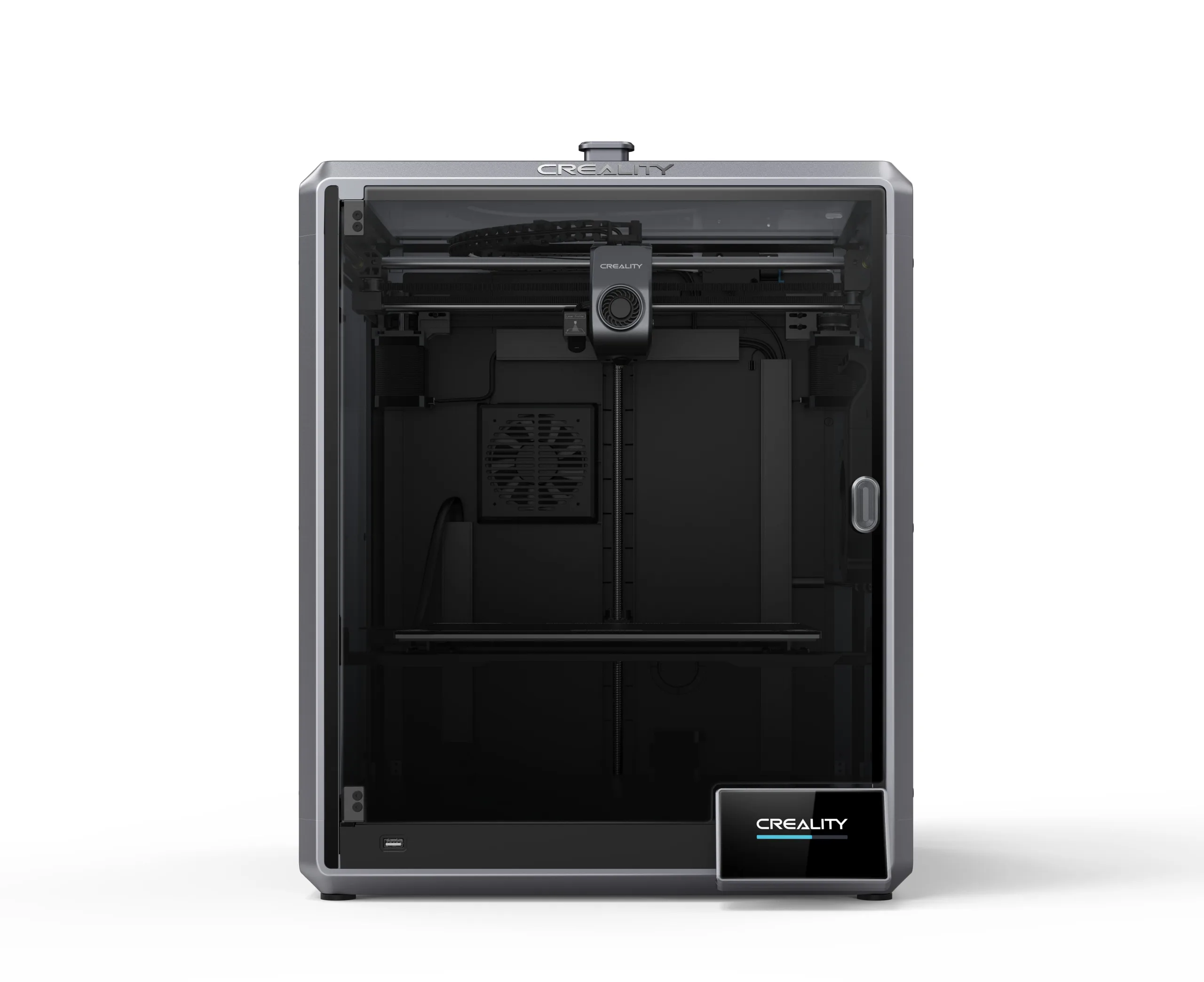
Creality 3D K1 Max[BUY K1 Max] |
| Printing Material | Filament | Filament | Filament |
| Estimated price | $269,00 | $169,00 | $1300,00 |
| Date of registration in the system | |||
| Fabricante | BigTreeTech | TwoTrees | Creality 3D |
| Release Year | 2020 | 2019 | 2023 |
| Print Volume [mm] | 235x235x270 | 230x230x280 | 300x300x300 |
| Printer Size [mm] | 412x402x492 | 400x410x520 | 435x462x526 |
| Weight [kg] | 8,00 | 8 | 18 |
| Power Loss Recovery | YES | YES | YES |
| Enclosed printer | NO | NO | NO |
| Bed Leveling | Manual | Manual | Automatic |
| Filament End Sensor | YES | YES | YES |
| Bed type | Heated | Heated | Heated |
| Power supply system | Bowden | Bowden | Direct Drive |
| Standard nozzle | 0,4 | 0,4 | 0,4 |
| Maximum Nozzle Temperature [°C] | 250 | 260 | 300 |
| Maximum Bed Temperature [°C] | 100 | 100 | 100 |
| Maximum printing speed [mm/s] | 100 | 200 | 600 |
| Filament holder | YES | YES | YES |
| Camera for supervision | NO | NO | YES |
| Recommended filaments | PLA, TPU, ABS, PETG | PLA, PETG | ABS, PLA, PETG, TPU, PA, ASA, PC, PLA-CF, PA-CF, PET-CF |
| Recommended slicers | Cura, Simplify, Slic3r | Cura, Simplify, Slic3r | Creality Print, Cura, Simplify, Slic3r, IdeaMaker e outros |
| Maximum Resolution [mm] | 0,1 | 0,1 | 0,1 |
| Kinematics | - | - | - |
| Extruder Type | - | - | - |
| Klipper Firmware | NO | NO | NO |
| Input Shaping | NO | NO | NO |
| Max Volumetric Flow [mm³/s] | - | - | - |
| Power Supply | 24V / 360W | 240W | |
| Connectivity | SD / USB | SD / USB | USB / Wi-Fi / Ethernet |
| Release date | 2020 | 2019 | 2023 |
| Extra features | The BIQU B1 is an advanced 3D printer with a silent 32-bit BTT SKR V1.4 motherboard and ARM Cortex-M3 CPU, offering DIY interfaces (I2C, SPI, WiFi) and dual Z-axis. Its dual BTT B1 TFT35 V3.0 operating system allows real-time monitoring and multiple printing modes, including G-code visualization effects. It stands out for its BIQU SSS (Super Spring Steel), ensuring easy model adhesion and simplified removal, with the possibility of using it on both sides. It includes a filament sensor, automatically pausing printing in case of filament breakage. The multicolored RGB lights integrated into the hotend allow you to view the printing status even at night. Additional notes include the need for a BIQU-specific Type-C cable and extra interfaces for smart filament sensor and BL Touch. | The Bluer offers interesting features such as automatic bed leveling, a 3.5-inch color touchscreen for easy operation, and a filament sensor to prevent print failures. It has a robust metal extruder and a generous 230 x 230 x 280 mm print volume, suitable for a variety of projects. The community mentions improvements made by Two Trees based on feedback, increasing its reliability. | The Creality K1 Max stands out as a fast Core XY 3D printer with a large build volume of 300 x 300 x 300 mm. It is fully enclosed and equipped with AI sensors to prevent print failures. This model has a smooth and flexible PEI build platform, and uses an automatic leveling system with LIDAR, as well as a filament run-out sensor. LAN, Creality Cloud and USB Flash Disk connectivity are available, as well as a 4.3-inch touchscreen interface. The K1 Max is robust, weighing in at 18 kg, and includes an AI camera and limited version of the Klipper firmware. Its motion system is solid and the printer is efficient with high-temperature filaments, but it is not silent. Assembly is 99% complete, requiring only minor adjustments before use. |
| Support for multiple colors and materials (AMS and CFS) | NO | NO | NO |
Notes * |
|||
| Cost-benefit | 8 / 10 | 8 / 10 | 6 / 10 |
| Hardware | 1 / 10 | 1 / 10 | 4.2 / 10 |
| Screen | . | . | . |
| Print volume | 10 / 10 | 10 / 10 | 10 / 10 |
| Performance | 6 / 10 | 7 / 10 | 10 / 10 |
| [BUY K1 Max] |
Conclusion |
| In comparing the BIQU B1, Bluer, and Creality K1 Max 3D printers, several key factors emerge that can help potential buyers determine the best model for their needs and budget. The **Bluer** stands out as the most affordable option, offering reliable features such as automatic bed leveling, a decent print volume, and a robust metal construction. It is advantageous for hobbyists and newcomers looking for a simple and effective 3D printing option, providing a good balance between price and performance. The **BIQU B1** offers a slightly higher price point and introduces advanced features such as a silent motherboard and dual Z-axis, which enhance print quality and reliability. With a multifaceted design and community-driven support, it suits users who are interested in customizable features and more intricate printing projects while still maintaining a reasonable cost. Conversely, the **Creality K1 Max** caters to those whose primary focus is on performance, especially speed and material versatility, given its impressive printing capabilities and large build volume. However, it comes at a premium price, targeting more serious users or professionals who need high efficiency and advanced features like AI monitoring systems. In conclusion, if budget is the primary concern, the Bluer is a commendable choice for entry-level users. For those who wish to delve into more sophisticated printing while keeping expenses manageable, the BIQU B1 strikes a solid balance. For professionals seeking top-of-the-line speed and print quality, the Creality K1 Max justifies its higher cost through its extensive features, making it suitable for advanced applications. Ultimately, the best printer will depend on individual needs, preferences, and budget considerations. |