

Compare BigTreeTech BIQU B1 vs TwoTrees Bluer vs Creality 3D CR M4
Comparison between the best 3D printers
Choose the best 3D printer at the best price. The cheapest 3D printers are here.
Buy a 3D printer here with 3D Fila.
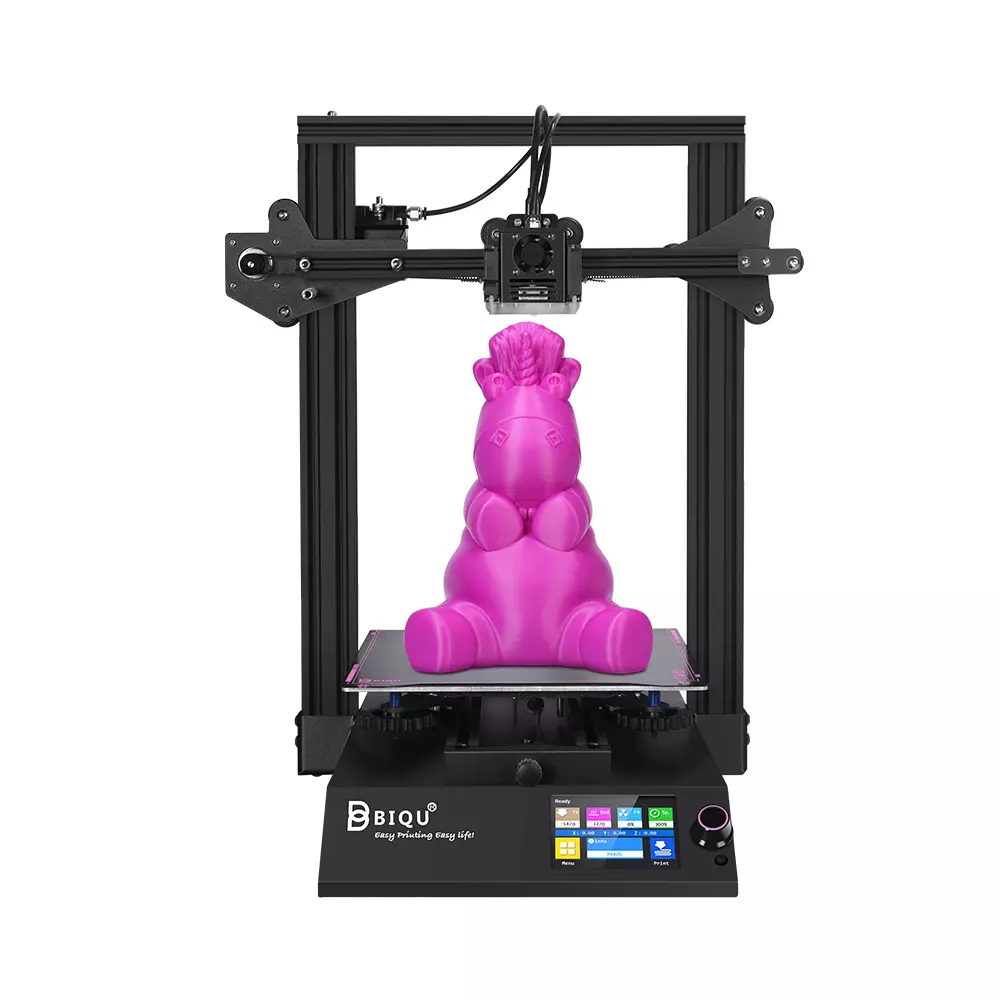 |
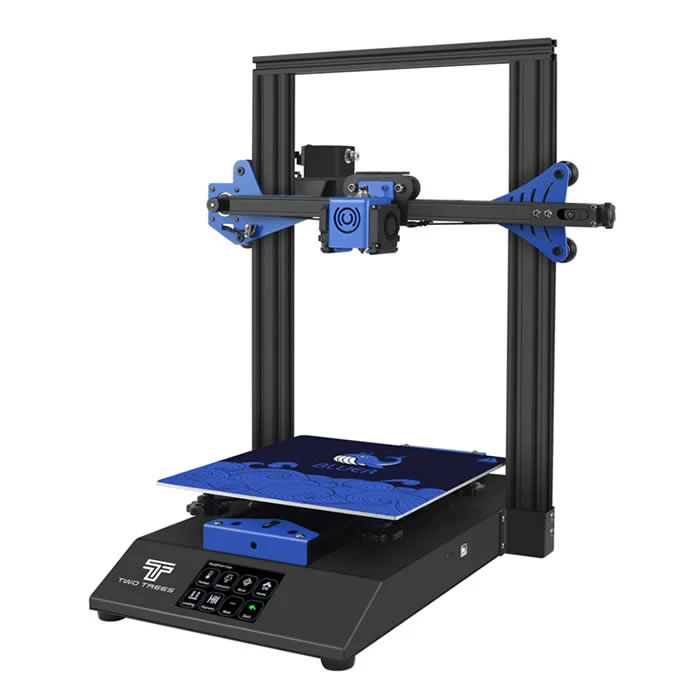 |
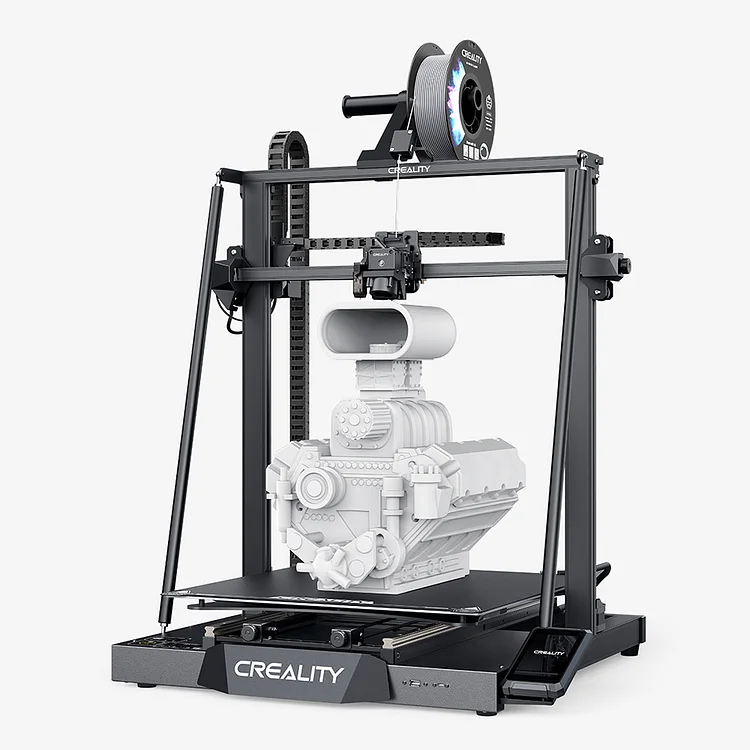 |
|
| Model | BigTreeTech BIQU B1 |
TwoTrees Bluer |
Creality 3D CR M4 |
| Printing Material | Filament | Filament | Filament |
| Estimated price | $269,00 | $169,00 | $1099,00 |
| Date of registration in the system | |||
| Fabricante | BigTreeTech | TwoTrees | Creality 3D |
| Release Year | 2020 | 2019 | 2023 |
| Print Volume [mm] | 235x235x270 | 230x230x280 | 450x450x470 |
| Printer Size [mm] | 412x402x492 | 400x410x520 | 655x700x865 |
| Weight [kg] | 8,00 | 8 | 23 |
| Power Loss Recovery | YES | YES | YES |
| Enclosed printer | NO | NO | NO |
| Bed Leveling | Manual | Manual | Automatic |
| Filament End Sensor | YES | YES | YES |
| Bed type | Heated | Heated | Heated |
| Power supply system | Bowden | Bowden | Direct Drive |
| Standard nozzle | 0,4 | 0,4 | 0,4 |
| Maximum Nozzle Temperature [°C] | 250 | 260 | 300 |
| Maximum Bed Temperature [°C] | 100 | 100 | 100 |
| Maximum printing speed [mm/s] | 100 | 200 | 180 |
| Filament holder | YES | YES | YES |
| Camera for supervision | NO | NO | NO |
| Recommended filaments | PLA, TPU, ABS, PETG | PLA, PETG | PLA, PETG, TPU, ABS, PLA-Wood, PA, PLA-CF |
| Recommended slicers | Cura, Simplify, Slic3r | Cura, Simplify, Slic3r | Cura, Simplify, Slic3r, IdeaMaker |
| Maximum Resolution [mm] | 0,1 | 0,1 | 0,1 |
| Kinematics | - | - | - |
| Extruder Type | - | - | - |
| Klipper Firmware | NO | NO | NO |
| Input Shaping | NO | NO | NO |
| Max Volumetric Flow [mm³/s] | - | - | - |
| Power Supply | 24V / 360W | 240W | 110/220V / 800W |
| Connectivity | SD / USB | SD / USB | SD / USB / Wi-Fi |
| Release date | 2020 | 2019 | 2023 |
| Extra features | The BIQU B1 is an advanced 3D printer with a silent 32-bit BTT SKR V1.4 motherboard and ARM Cortex-M3 CPU, offering DIY interfaces (I2C, SPI, WiFi) and dual Z-axis. Its dual BTT B1 TFT35 V3.0 operating system allows real-time monitoring and multiple printing modes, including G-code visualization effects. It stands out for its BIQU SSS (Super Spring Steel), ensuring easy model adhesion and simplified removal, with the possibility of using it on both sides. It includes a filament sensor, automatically pausing printing in case of filament breakage. The multicolored RGB lights integrated into the hotend allow you to view the printing status even at night. Additional notes include the need for a BIQU-specific Type-C cable and extra interfaces for smart filament sensor and BL Touch. | The Bluer offers interesting features such as automatic bed leveling, a 3.5-inch color touchscreen for easy operation, and a filament sensor to prevent print failures. It has a robust metal extruder and a generous 230 x 230 x 280 mm print volume, suitable for a variety of projects. The community mentions improvements made by Two Trees based on feedback, increasing its reliability. | The Creality CR-M4 printer stands out for its easy assembly and automatic table leveling. With dual-gear extruder technology and direct drive, it ensures quality prints. It offers Wi-Fi and LAN connections for easy file sending. Its large construction volume of 450x450x470 mm allows for bold projects. It has linear rails and a high-power Y motor, supporting up to 30 kg on its plate. The innovative design includes an efficient cooling system and a removable screen controller, optimizing usability and comfort during printing. |
| Support for multiple colors and materials (AMS and CFS) | NO | NO | NO |
Notes * |
|||
| Cost-benefit | 8 / 10 | 8 / 10 | 5 / 10 |
| Hardware | 1 / 10 | 1 / 10 | 2.8 / 10 |
| Screen | . | . | . |
| Print volume | 10 / 10 | 10 / 10 | 10 / 10 |
| Performance | 6 / 10 | 7 / 10 | 7 / 10 |
Conclusion |
| ### Conclusion In comparing the three 3D printers—BIQU B1, Bluer, and Creality CR M4—several factors emerge that can guide potential buyers in making their decision. **Price vs. Features:** The BIQU B1 and Bluer are budget-friendly options, appealing for hobbyists and those new to 3D printing. Both feature a heated bed, filament end sensor, and offer comparable print volumes. Their performance can handle basic materials such as PLA, TPU, and ABS. The BIQU B1 stands out with superior features like a silent motherboard, dual Z-axis, and enhanced monitoring capabilities, though it carries a slightly higher cost. The Creality CR M4, while significantly more expensive, offers a large print volume and advanced features like automatic bed leveling, a direct drive system, and dual-gear extruder technology. It's particularly suitable for users aiming for higher-scale projects and more complex printing requirements, allowing for a wider range of materials. **Print Volume and Capability:** The CR M4's substantial print volume makes it the ideal choice for larger projects or professional use, while both the BIQU and Bluer are more suited for standard-sized prints. If print volume is a priority, the CR M4 is the clear winner. **Ease of Use:** For newer users, both the BIQU B1 and Bluer are user-friendly, facilitated by their integrated touchscreen interfaces and basic automatic features. The Creality CR M4, though potentially more complex due to its advanced features, caters well to users familiar with 3D printing, providing a steeper learning curve but rewarding output potential. **Final Recommendation:** Ultimately, the choice depends on individual needs and budget constraints. For hobbyists and those just starting, the BIQU B1 offers an excellent balance of features and price, while the Bluer presents a more cost-effective entry point with reliability. On the other hand, the Creality CR M4 is tailored for serious enthusiasts or professionals with a need for extensive build capacity and enhanced functionality. In conclusion, consider your specific printing projects, budget, and personal preference before making a decision. |