

Compare Anycubic Kobra vs Creality 3D K1C
Comparison between the best 3D printers
Choose the best 3D printer at the best price. The cheapest 3D printers are here.
Buy a 3D printer here with 3D Fila.
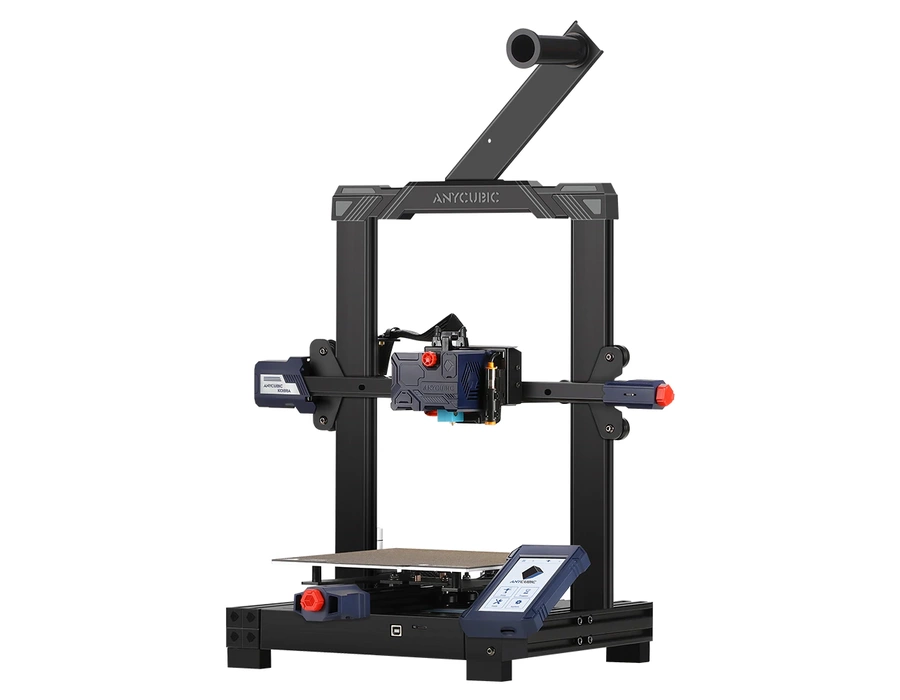 |
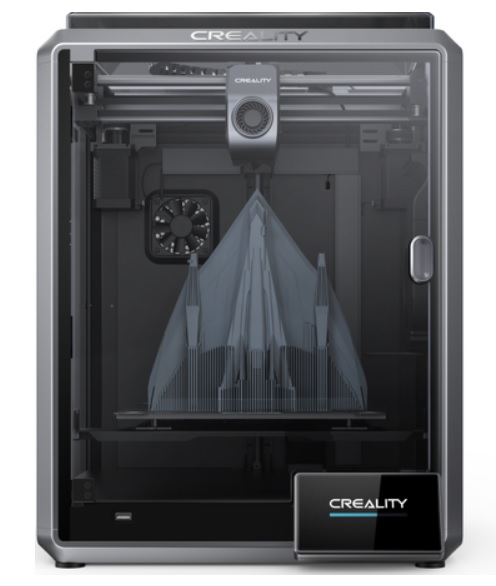 |
|
| Model | Anycubic Kobra |
Creality 3D K1C[BUY K1C] |
| Printing Material | Filament | Filament |
| Estimated price | $259,00 | $449,00 |
| Date of registration in the system | ||
| Manufacturer | Anycubic | Creality 3D |
| Release Year | 2022 | 2024 |
| Print Volume [mm] | 220x220x250 | 220x220x250 |
| Printer Size [mm] | 486x430x486 | 355x355x480 |
| Weight [kg] | 7 | 12,4 |
| Power Loss Recovery | YES | YES |
| Enclosed printer | NO | YES |
| Bed Leveling | Automatic | Automatic |
| Filament End Sensor | NO | YES |
| Bed type | Heated | Heated |
| Power supply system | Direct Drive | Direct Drive |
| Standard nozzle | 0,4 | 0,4 |
| Maximum Nozzle Temperature [°C] | 260 | 300 |
| Maximum Bed Temperature [°C] | 110 | 120 |
| Maximum printing speed [mm/s] | 180 | 600 |
| Filament holder | YES | YES |
| Camera for supervision | NO | YES |
| Recommended filaments | PLA, PETG, Tritan, Flex, ABS | ABS, PLA, PETG, PET, TPU, PA, ABS, ASA, PC, PLA-CF, PA-CF, PET-CF |
| Recommended slicers | Cura, Simplify, Slic3r, IdeaMaker | Creality Print; Cura, Simplify3D e PrusaSlicer |
| Maximum Resolution [mm] | 0,1 | 0,1 |
| Kinematics | - | - |
| Extruder Type | - | - |
| Klipper Firmware | NO | NO |
| Input Shaping | NO | NO |
| Max Volumetric Flow [mm³/s] | - | - |
| Power Supply | 110/220V / 400W | 110/220V / 350W |
| Connectivity | SD / USB | Ethernet / USB / Wi-Fi |
| Release date | 2022 | 2024 |
| Extra features | The Anycubic Kobra features automatic bed leveling and a direct extruder for easy filament handling. The print bed is coated with PEI on a flexible steel plate, improving adhesion and making prints easier to remove. The printer features sensorless homing and is designed to be easily disassembled for easy maintenance and customization. | The Creality K1C is a fully enclosed CoreXY 3D printer featuring an all-metal extruder, tri-metal âUnicornâ nozzle for abrasive materials, automatic bed leveling with nozzle cleaning, AI-assisted failure detection, built-in camera for timelapse, enhanced cooling system, root access to Klipper firmware, and compatibility with PLA-CF, PA-CF, PET-CF, TPU, ABS, and more. |
| Support for multiple colors and materials (AMS and CFS) | NO | NO |
Notes * |
||
| Cost-benefit | 8 / 10 | 8 / 10 |
| Hardware | 1.8 / 10 | 4.8 / 10 |
| Screen | . | . |
| Print volume | 10 / 10 | 10 / 10 |
| Performance | 7 / 10 | 10 / 10 |
| [BUY K1C] |
Conclusion |
Conclusion: Comparing the Anycubic Kobra and Creality K1C 3D Printers When considering the Anycubic Kobra and the Creality K1C, both printers present unique features and capabilities tailored to different user needs. Below, we will examine the pros and cons of each model to assist in determining the best buy depending on user profiles. Anycubic Kobra
Creality K1C
Final Verdict For users who are just starting out in 3D printing, the Anycubic Kobra is an excellent choice. Its ease of use, automatic bed leveling, and simpler setup make it ideal for beginners who want to experiment with 3D printing without overwhelming complexity. The price point also makes it a more accessible option. On the other hand, the Creality K1C is better suited for advanced users or those looking to push the limits of their 3D printing projects. Its enclosed design, high speed, and compatibility with a wide range of materials make it a robust option for serious makers and professionals who require reliability and speed in their work. The additional features provide great value despite the higher price tag. In conclusion, if you are a beginner or on a budget, the Anycubic Kobra is the best buy. However, if you are an advanced user seeking performance and versatility, the Creality K1C is worth the investment. |