

Compare Anycubic Kobra 3 V2 Combo vs Creality 3D Ender 6
Comparison between the best 3D printers
Choose the best 3D printer at the best price. The cheapest 3D printers are here.
Buy a 3D printer here with 3D Fila.
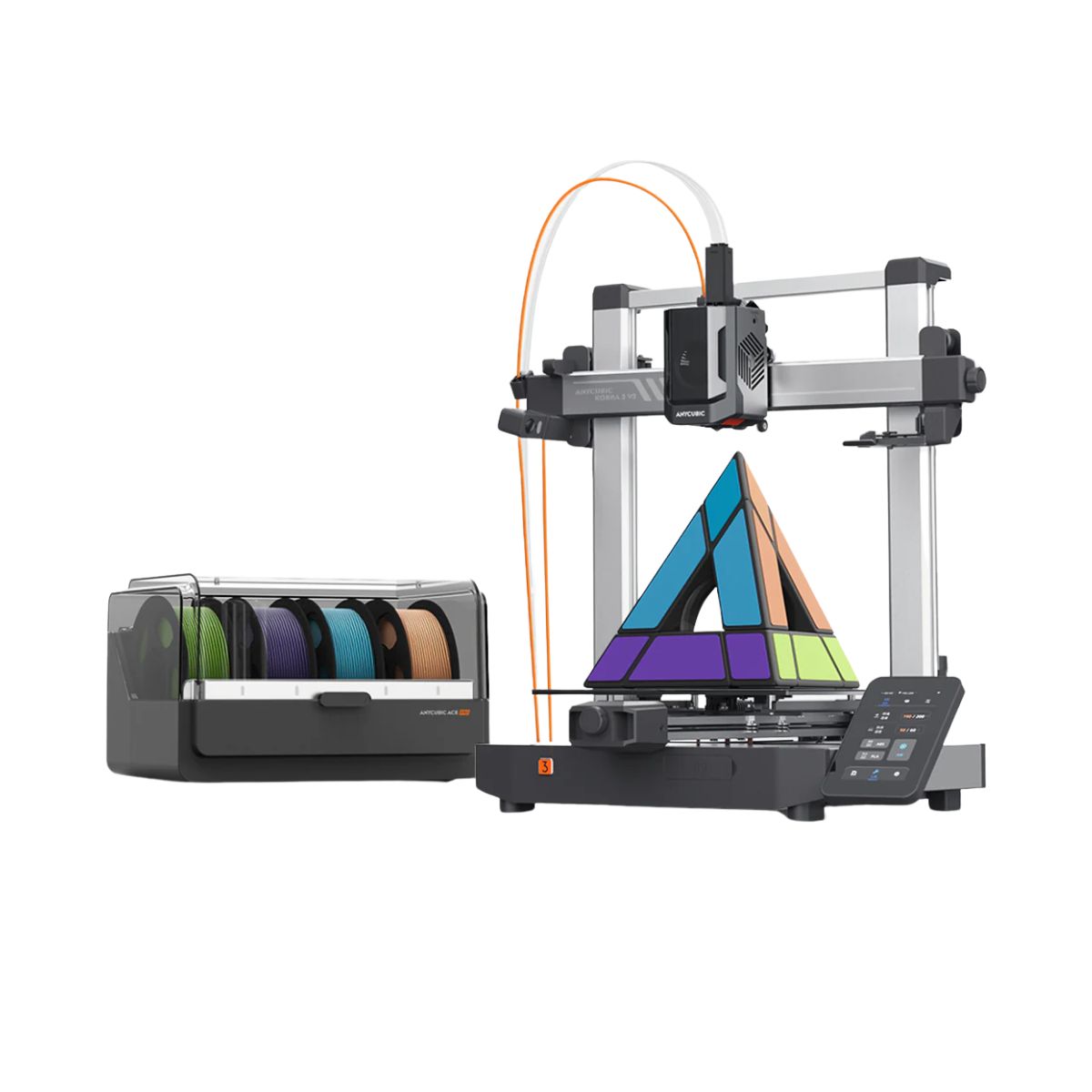 |
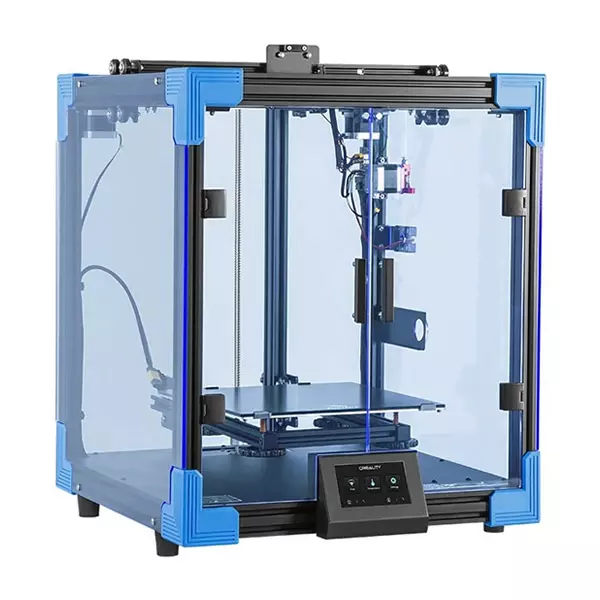 |
|
| Model | Anycubic Kobra 3 V2 Combo[BUY Kobra 3 V2 Combo] |
Creality 3D Ender 6[BUY Ender 6] |
| Printing Material | Filament | Filament |
| Estimated price | $379,00 | $499,00 |
| Date of registration in the system | ||
| Manufacturer | Anycubic | Creality 3D |
| Release Year | 2025 | 2020 |
| Print Volume [mm] | 255x255x260 | 250x250x400 |
| Printer Size [mm] | 452x504x483 | 495x495x650 |
| Weight [kg] | 9,37 | 22 |
| Power Loss Recovery | YES | YES |
| Enclosed printer | NO | YES |
| Bed Leveling | Automatic | Manual |
| Filament End Sensor | YES | YES |
| Bed type | Heated | Heated |
| Power supply system | Direct Drive | Bowden |
| Standard nozzle | 0,4 | 0,4 |
| Maximum Nozzle Temperature [°C] | 300 | 260 |
| Maximum Bed Temperature [°C] | 110 | 100 |
| Maximum printing speed [mm/s] | 600 | 150 |
| Filament holder | YES | YES |
| Camera for supervision | NO | NO |
| Recommended filaments | PLA/PETG/TPU (TPU is not compatible with the ACE Pro) | PLA, TPU, ABS, PETG |
| Recommended slicers | Anycubic Slicer, Cura, Orca Slicer | Cura, Simplify, Slic3r |
| Maximum Resolution [mm] | 0,1 | 0,1 |
| Kinematics | - | - |
| Extruder Type | - | - |
| Klipper Firmware | NO | NO |
| Input Shaping | NO | NO |
| Max Volumetric Flow [mm³/s] | - | - |
| Power Supply | 400 W | 24V / 504W |
| Connectivity | USB, Wi-Fi, Cloud | SD / USB |
| Release date | 2025 | 2020 |
| Extra features | The Kobra 3 V2 Combo brings notable upgrades: a wider Y-axis and SG15 bearings on the X-axis for greater stability, a redesigned nozzle to prevent leakage, a larger build volume (255x255x260 mm), a built-in 720p camera, and native support for 4- or 8-color printing with no extra hub required. All of this combined with LeviQ 3.0 auto-leveling and integrated filament drying. | The Creality Ender 6 stands out in the world of 3D printers with its CoreXY system, offering fast and high-quality prints. With a robust design, it has acrylic panels to protect against air currents, optimizing the printing of materials that require higher temperatures. It features a generic Creality hotend, effective up to ~240°C. Its differentials include 10mm GATES belts, promoting stability at high speeds, and a 360W power supply for reliable performance. The machine also has an intuitive user interface through a 4.3-inch touchscreen. |
| Support for multiple colors and materials (AMS and CFS) | YES | NO |
Notes * |
||
| Cost-benefit | 8 / 10 | 7 / 10 |
| Hardware | 6.3 / 10 | 1.5 / 10 |
| Screen | . | . |
| Print volume | 10 / 10 | 10 / 10 |
| Performance | 10 / 10 | 7 / 10 |
| [BUY Kobra 3 V2 Combo] | [BUY Ender 6] |
Conclusion |
Conclusion: When comparing the Anycubic Kobra 3 V2 Combo and the Creality Ender 6, it's essential to consider the unique features, build quality, and user profiles that may benefit from each printer. Both models utilize FDM technology, but they cater to different needs and preferences. Kobra 3 V2 Combo (Anycubic)
Ender 6 (Creality 3D)
Final Verdict: If you are a beginner or someone looking to create multi-colored prints with the ease of automatic leveling and a larger build volume, the Kobra 3 V2 Combo is the better choice. Its modern features make it an excellent entry-level option that balances speed and quality. On the other hand, if you are a more experienced user or a professional who prioritizes precision and the ability to print high-temperature materials, the Ender 6 offers a more stable environment with its enclosed design and robust construction, albeit at a higher price point. Its CoreXY system also provides excellent print quality, making it a solid investment for serious 3D printing enthusiasts. Ultimately, the best buy depends on your specific needs: choose the Kobra 3 V2 Combo for versatility and ease of use, and opt for the Ender 6 for a reliable, high-quality printing experience in a controlled environment. |