
Compare Creality 3D K1C vs Anycubic Mega S
Comparison between the best 3D printers
Choose the best 3D printer at the best price. The cheapest 3D printers are here.
Buy a 3D printer here with 3D Fila.
 |
 |
|
| Model | Creality 3D K1C[BUY K1C] |
Anycubic Mega S |
| Printing Material | Filament | Filament |
| Estimated price | $449,00 | $149,00 |
| Date of registration in the system | ||
| Manufacturer | Creality 3D | Anycubic |
| Release Year | 2024 | 2019 |
| Print Volume [mm] | 220x220x250 | 210x210x205 |
| Printer Size [mm] | 355x355x480 | 405x410x452 |
| Weight [kg] | 12,4 | 14,5 |
| Power Loss Recovery | YES | YES |
| Enclosed printer | YES | NO |
| Bed Leveling | Automatic | Manual |
| Filament End Sensor | YES | YES |
| Bed type | Heated | Heated |
| Power supply system | Direct Drive | Bowden |
| Standard nozzle | 0,4 | 0,4 |
| Maximum Nozzle Temperature [°C] | 300 | 260 |
| Maximum Bed Temperature [°C] | 120 | 110 |
| Maximum printing speed [mm/s] | 600 | 100 |
| Filament holder | YES | YES |
| Camera for supervision | YES | NO |
| Recommended filaments | ABS, PLA, PETG, PET, TPU, PA, ABS, ASA, PC, PLA-CF, PA-CF, PET-CF | PLA, TPU, ABS, PETG |
| Recommended slicers | Creality Print; Cura, Simplify3D e PrusaSlicer | Cura, Simplify, Slic3r |
| Maximum Resolution [mm] | 0,1 | 0,1 |
| Kinematics | - | - |
| Extruder Type | - | - |
| Klipper Firmware | NO | NO |
| Input Shaping | NO | NO |
| Max Volumetric Flow [mm³/s] | - | - |
| Power Supply | 110/220V / 350W | 12V / 300W |
| Connectivity | Ethernet / USB / Wi-Fi | SD / USB |
| Release date | 2024 | 2019 |
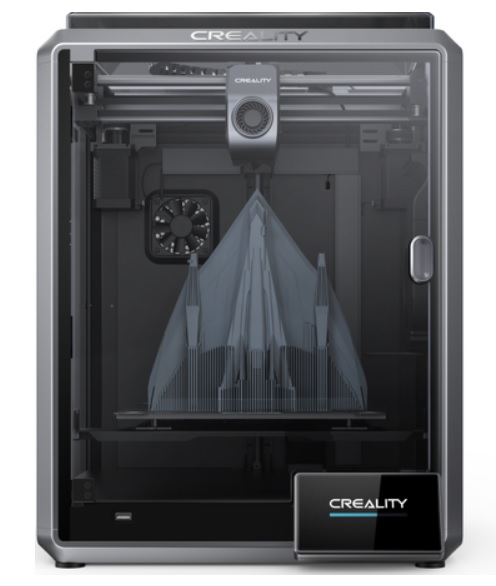
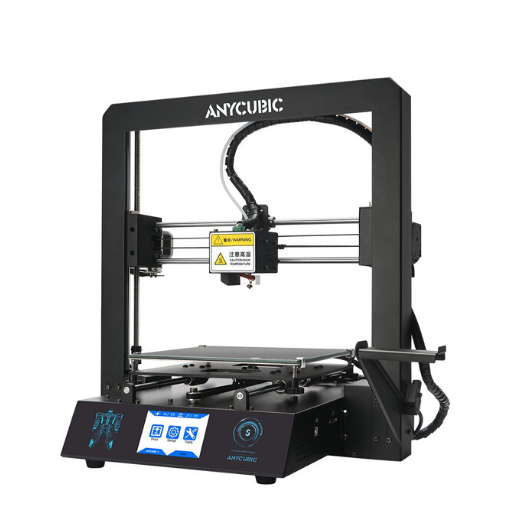
| Extra features | The Creality K1C is a fully enclosed CoreXY 3D printer featuring an all-metal extruder, tri-metal âUnicornâ nozzle for abrasive materials, automatic bed leveling with nozzle cleaning, AI-assisted failure detection, built-in camera for timelapse, enhanced cooling system, root access to Klipper firmware, and compatibility with PLA-CF, PA-CF, PET-CF, TPU, ABS, and more. | The Anycubic Mega S offers a printing platform with excellent adhesion, easy removal after cooling. It has a filament sensor for a better experience with flexible materials and a multilingual and intuitive color touchscreen. Assembly is quick, requiring only 8 screws and 3 connections. It has a large build volume (210 x 210 x 205 mm), high positioning accuracy and supports a variety of materials, including TPU, PLA, ABS and wood. It stands out for its solid metal structure, superior stability, high-quality printing with layer resolution of up to 50 microns, Ultrabase for easy adhesion and removal of parts, resumption of printing after power outage, high-quality extruder for flexible filaments, suspended filament support and stable structure that reduces shaking, improving printing quality. |
| Support for multiple colors and materials (AMS and CFS) | NO | NO |
Notes * |
||
| Cost-benefit | 8 / 10 | 8 / 10 |
| Hardware | 4.8 / 10 | 1 / 10 |
| Screen | . | . |
| Print volume | 10 / 10 | 10 / 10 |
| Performance | 10 / 10 | 6 / 10 |
| [BUY K1C] |
Conclusion |
Conclusion and Comparison of 3D Printers: K1C (Creality 3D) vs. Mega S (Anycubic) When comparing the K1C from Creality 3D and the Mega S from Anycubic, it’s essential to consider the unique features, advantages, and limitations each model offers to determine which printer is the best buy based on user profiles. K1C (Creality 3D)Pros:
Cons:
Mega S (Anycubic)Pros:
Cons:
Final VerdictIn summary, the choice between the K1C and Mega S largely depends on the user profile:
Ultimately, the K1C proves to be a more advanced and versatile printer, while the Mega S remains a fantastic entry-level model that delivers quality and simplicity. Choose based on your specific needs and experience level for the best results! |