
Compare K1C vs M5C
Comparison between the best 3D printers
Choose the best 3D printer at the best price. The cheapest 3D printers are here.
Buy a 3D printer here with 3D Fila.
 |
 |
|
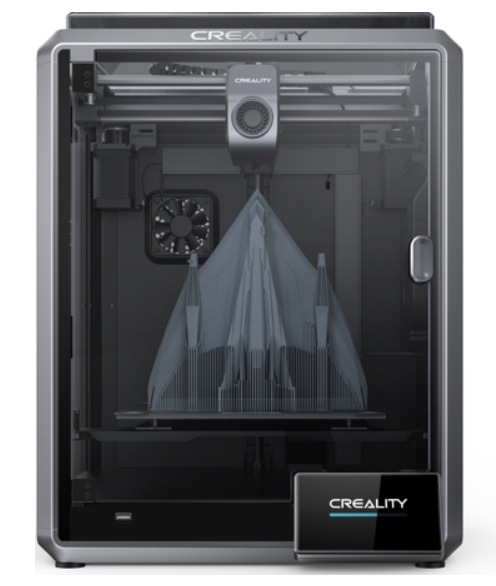
| Model | K1C[BUY K1C] |
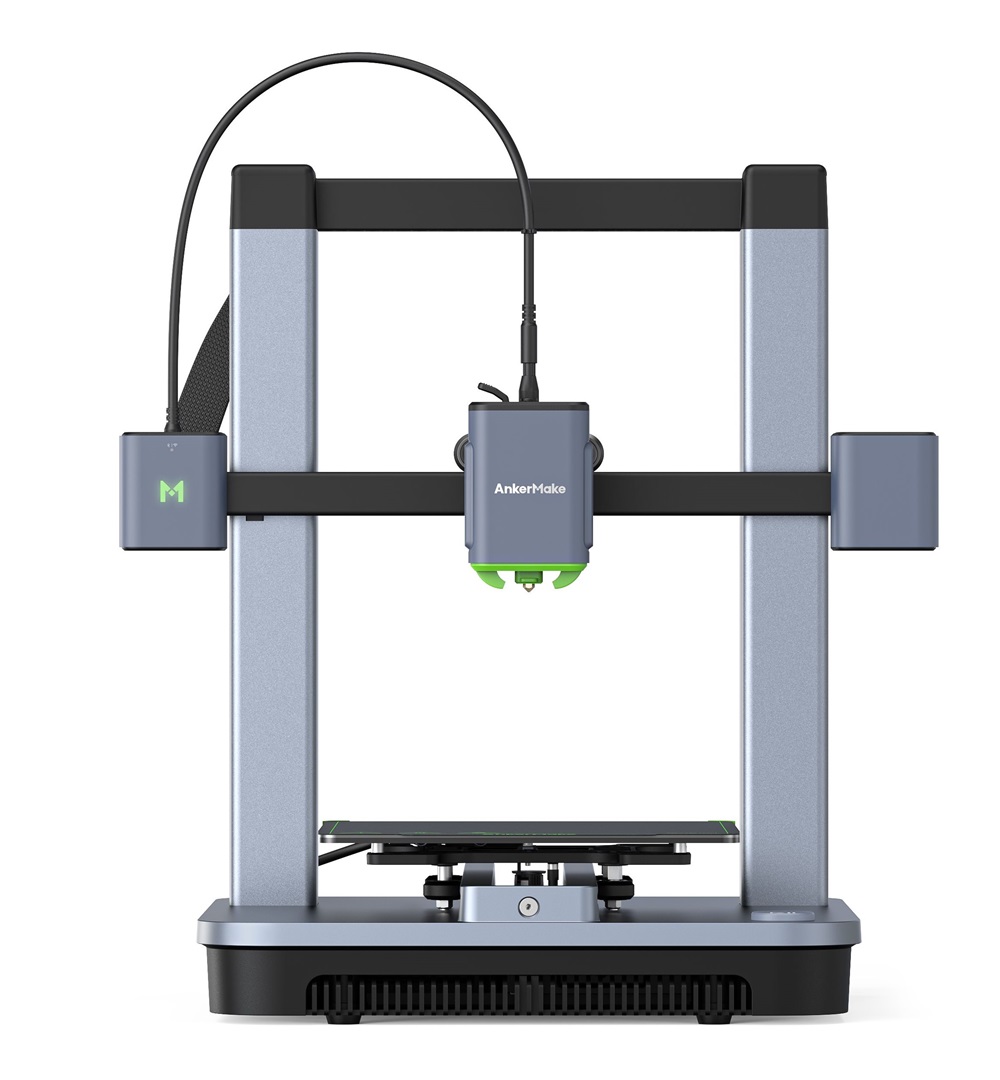
M5C[BUY M5C] |
| Printing Material | Filament | Filament |
| Buy Filament for Creality 3D K1C | Buy Filament forAnkerMake M5C | |
| Estimated price | $449,00 | $399,00 |
| Manufacturer | Creality 3D | AnkerMake |
| Release Year | 2024 | 2023 |
| Print Volume [mm] | 220x220x250 | 220x220x250 |
| Printer Size [mm] | 355x355x480 | 466x374x480 |
| Weight [kg] | 12,4 | 9,6 |
| Power Loss Recovery | YES | YES |
| Enclosed printer | YES | NO |
| Bed Leveling | Automatic | Automatic |
| Filament End Sensor | YES | YES |
| Bed type | Heated | Heated |
| Power supply system | Direct Drive | Direct Drive |
| Standard nozzle | 0,4 | 0,4 |
| Maximum Nozzle Temperature [°C] | 300 | 300 |
| Maximum Bed Temperature [°C] | 120 | 100 |
| Maximum printing speed [mm/s] | 600 | 500 |
| Filament holder | YES | YES |
| Camera for supervision | YES | YES |
| Recommended filaments | ABS, PLA, PETG, PET, TPU, PA, ABS, ASA, PC, PLA-CF, PA-CF, PET-CF | PLA, PETG, TPU, ABS, PA, PLA-CF, PETG-CF, PA-CF |
| Recommended slicers | Creality Print; Cura, Simplify3D e PrusaSlicer | AnkerMake Studio (macOS, Windows), Simplify3D, Ultimaker Cura, PrusaSlicer |
| Maximum Resolution [mm] | 0,1 | 0,1 |
| Processor | ||
| Display | Display touchscreen 4,3'' | |
| Power Supply | 110/220V / 350W | 350 W |
| Connectivity | Ethernet / USB / Wi-Fi | Wi-Fi, USB-C, Bluetooth |
| Operating systems | Windows, Mac, Linux | Windows, Linux e Macbook |
| Date of registration in the system | 2024-05-16 | 2024-09-11 |
| Release date | 2024 | 2023 |
| Extra features | The Creality K1C is a fully enclosed CoreXY 3D printer featuring an all-metal extruder, tri-metal Unicorn nozzle for abrasive materials, automatic bed leveling with nozzle cleaning, AI-assisted failure detection, built-in camera for timelapse, enhanced cooling system, root access to Klipper firmware, and compatibility with PLA-CF, PA-CF, PET-CF, TPU, ABS, and more. | The AnkerMake M5 printer stands out for its impressive print speed, reaching up to 500mm/s. It features AI print monitoring, an integrated camera for creating timelapses, auto-leveling bed with pressure sensor, direct extruder, flexible PEI-coated build plate, and Wi-Fi and USB-C connectivity. Assembly is quick and easy, and the printer is designed to deliver high print quality and ease of use. |
| Support for multiple colors and materials (AMS and CFS) | NO | NO |
Notes * |
||
| Cost-benefit | 8 / 10 | 7 / 10 |
| Hardware | 5.4 / 10 | 3.2 / 10 |
| Tela | . | . |
| Print volume | 3 / 10 | 3 / 10 |
| Performance | 5 / 10 | 4 / 10 |
| [BUY K1C] | [BUY M5C] |
Conclusion |
| In conclusion, when comparing the Creality K1C and AnkerMake M5C 3D printers, several key factors stand out that may influence your purchasing decision. The K1C is a slightly more expensive option that offers a fully enclosed design, which can be advantageous for printing with a wider variety of materials, including abrasive ones, due to its enhanced cooling systems and compatibility with specialized filaments. Its automatic bed leveling, built-in camera for monitoring, and AI-assisted failure detection also add significant value, particularly for users keen on reliability and ease of use. On the other hand, the M5C, while being the cheaper model, boasts impressive print speeds of up to 500mm/s, making it a great option for users who prioritize speed over extensive material compatibility. Its flexible build plate and user-friendly assembly process cater to beginners or those looking for a hassle-free setup. Additionally, M5C's connectivity options, including USB-C and Bluetooth, could appeal to tech-savvy users who desire flexible connectivity. Ultimately, the choice between the K1C and M5C will depend on your specific needs—whether you value the advanced features and material options of the K1C or the speed and ease of use offered by the M5C. Both printers present good value for their respective price points, but their distinct features serve different printing priorities and user experiences. |