

Compare Creality 3D K1C vs Creality 3D Ender 3
Comparison between the best 3D printers
Choose the best 3D printer at the best price. The cheapest 3D printers are here.
Buy a 3D printer here with 3D Fila.
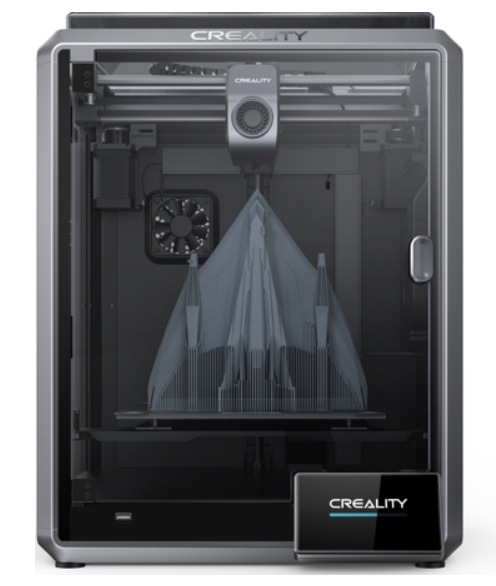 |
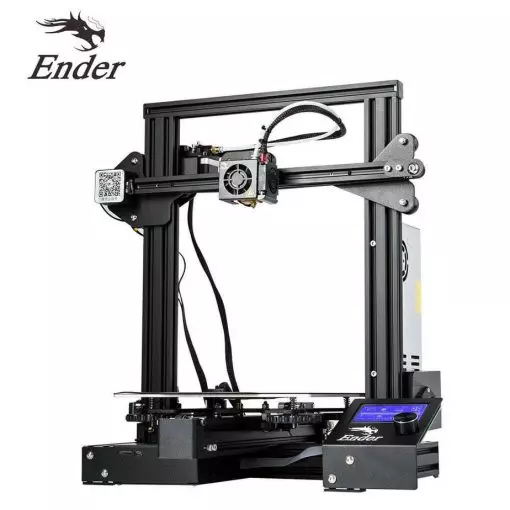 |
|
| Model | Creality 3D K1C[BUY K1C] |
Creality 3D Ender 3[BUY Ender 3] |
| Printing Material | Filament | Filament |
| Estimated price | $449,00 | $210,00 |
| Date of registration in the system | ||
| Manufacturer | Creality 3D | Creality 3D |
| Release Year | 2024 | 2018 |
| Print Volume [mm] | 220x220x250 | 220x220x250 |
| Printer Size [mm] | 355x355x480 | 440x440x465 |
| Weight [kg] | 12,4 | 6,62 |
| Power Loss Recovery | YES | NO |
| Enclosed printer | YES | NO |
| Bed Leveling | Automatic | Manual |
| Filament End Sensor | YES | NO |
| Bed type | Heated | Heated |
| Power supply system | Direct Drive | Bowden |
| Standard nozzle | 0,4 | 0,4 |
| Maximum Nozzle Temperature [°C] | 300 | 255 |
| Maximum Bed Temperature [°C] | 120 | 110 |
| Maximum printing speed [mm/s] | 600 | 180 |
| Filament holder | YES | YES |
| Camera for supervision | YES | NO |
| Recommended filaments | ABS, PLA, PETG, PET, TPU, PA, ABS, ASA, PC, PLA-CF, PA-CF, PET-CF | PLA, TPU, ABS, PETG |
| Recommended slicers | Creality Print; Cura, Simplify3D e PrusaSlicer | Cura, Simplify, Slic3r |
| Maximum Resolution [mm] | 0,1 | 0,1 |
| Kinematics | - | - |
| Extruder Type | - | - |
| Klipper Firmware | NO | NO |
| Input Shaping | NO | NO |
| Max Volumetric Flow [mm³/s] | - | - |
| Power Supply | 110/220V / 350W | 24V / 270W |
| Connectivity | Ethernet / USB / Wi-Fi | SD / USB |
| Release date | 2024 | 2018 |
| Extra features | The Creality K1C is a fully enclosed CoreXY 3D printer featuring an all-metal extruder, tri-metal âUnicornâ nozzle for abrasive materials, automatic bed leveling with nozzle cleaning, AI-assisted failure detection, built-in camera for timelapse, enhanced cooling system, root access to Klipper firmware, and compatibility with PLA-CF, PA-CF, PET-CF, TPU, ABS, and more. | The Ender 3 V1 is a DIY assembly 3D printer, a sales leader since 2017, standing out for its cost-benefit. With a wide printing capacity, it has a CNC machined structure for precision and stability. It offers high-precision prints with low noise, thanks to its innovative V-profile and pulleys. It has a self-adhesive magnetic platform for easy removal of models and excellent adhesion. The Ender 3 heats up quickly, reaching 100°C in 5 minutes, ideal for agile prints. It includes protection against power failures, allowing you to resume printing after interruptions, saving time and material. |
| Support for multiple colors and materials (AMS and CFS) | NO | NO |
Notes * |
||
| Cost-benefit | 8 / 10 | 8 / 10 |
| Hardware | 4.8 / 10 | 0.5 / 10 |
| Screen | . | . |
| Print volume | 10 / 10 | 10 / 10 |
| Performance | 10 / 10 | 7 / 10 |
| [BUY K1C] | [BUY Ender 3] |
Conclusion |
Conclusion: Comparing the K1C and Ender 3 3D Printers When it comes to choosing the right 3D printer, the Creality K1C and the Ender 3 are two popular options, each catering to different user needs and preferences. Below is a detailed comparison highlighting the pros and cons of each model. Creality K1C
Creality Ender 3
Final Verdict The choice between the Creality K1C and the Ender 3 ultimately depends on the user's profile:
In summary, both printers have their unique advantages and are well-regarded in the 3D printing community. However, the right choice hinges on individual needs and experience levels. |