

Compare Creality 3D K1C vs Creality Ender 3 V3 Plus
Comparison between the best 3D printers
Choose the best 3D printer at the best price. The cheapest 3D printers are here.
Buy a 3D printer here with 3D Fila.
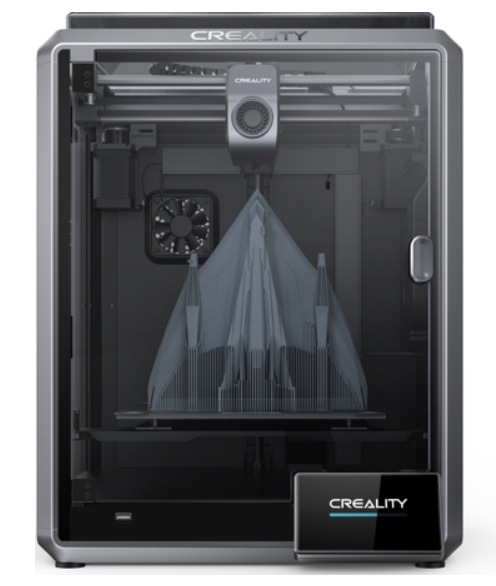 |
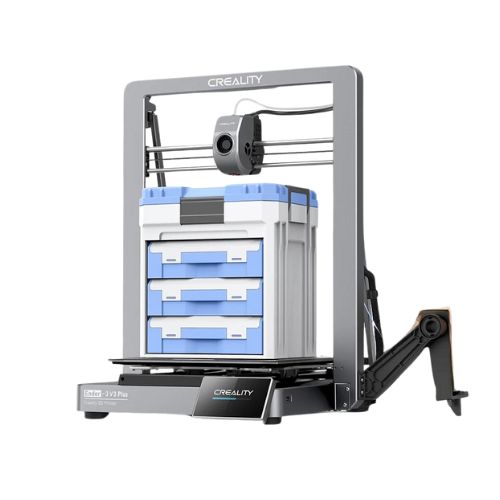 |
|
| Model | Creality 3D K1C[BUY K1C] |
Creality Ender 3 V3 Plus |
| Printing Material | Filament | Filament |
| Estimated price | $449,00 | $479,00 |
| Date of registration in the system | ||
| Manufacturer | Creality 3D | Creality |
| Release Year | 2024 | 2024 |
| Print Volume [mm] | 220x220x250 | 300x300x330 |
| Printer Size [mm] | 355x355x480 | 410x445x577 |
| Weight [kg] | 12,4 | 11,5 |
| Power Loss Recovery | YES | YES |
| Enclosed printer | YES | NO |
| Bed Leveling | Automatic | Automatic |
| Filament End Sensor | YES | YES |
| Bed type | Heated | Heated |
| Power supply system | Direct Drive | Direct Drive |
| Standard nozzle | 0,4 | 0,4 |
| Maximum Nozzle Temperature [°C] | 300 | 300 |
| Maximum Bed Temperature [°C] | 120 | 100 |
| Maximum printing speed [mm/s] | 600 | 600 |
| Filament holder | YES | YES |
| Camera for supervision | YES | NO |
| Recommended filaments | ABS, PLA, PETG, PET, TPU, PA, ABS, ASA, PC, PLA-CF, PA-CF, PET-CF | PLA, TPU(95A), PETG, ABS, PLA-CF, PETG-CF, CR-carbon |
| Recommended slicers | Creality Print; Cura, Simplify3D e PrusaSlicer | Bambu Studio, Super Slicer, Cura, Prusa Slicer, Orca Slicer, Creality Print |
| Maximum Resolution [mm] | 0,1 | 0,1 |
| Kinematics | - | - |
| Extruder Type | - | - |
| Klipper Firmware | NO | NO |
| Input Shaping | NO | NO |
| Max Volumetric Flow [mm³/s] | - | - |
| Power Supply | 110/220V / 350W | 350 W |
| Connectivity | Ethernet / USB / Wi-Fi | Wifi, Bambu bus, Cartão SD |
| Release date | 2024 | 2024 |
| Extra features | The Creality K1C is a fully enclosed CoreXY 3D printer featuring an all-metal extruder, tri-metal âUnicornâ nozzle for abrasive materials, automatic bed leveling with nozzle cleaning, AI-assisted failure detection, built-in camera for timelapse, enhanced cooling system, root access to Klipper firmware, and compatibility with PLA-CF, PA-CF, PET-CF, TPU, ABS, and more. | The Ender 3 V3 Plus incorporates significant advancements in 3D printing, featuring a build volume of 300300330mm. It features a Creality operating system based on Klipper, which supports advanced functions such as linear advance and input shaping, and allows precise adjustments through root access or expert mode. The CoreXZ motion system allows a printing speed of up to 600mm/s, with an acceleration of up to 20000mm/s². Equipped with a flexible build plate and a quick-change nozzle with a hardened steel tip, the printer offers simplified maintenance and increased durability. Additionally, the high-speed direct drive technology of the extruder, together with an automatic leveling system and filament end sensors, raise the standard for reliability and efficiency. Compatible with a variety of filaments, including PLA and PETG, the Ender 3 V3 Plus is a robust choice for 3D printing enthusiasts and professionals. |
| Support for multiple colors and materials (AMS and CFS) | NO | NO |
Notes * |
||
| Cost-benefit | 8 / 10 | 7 / 10 |
| Hardware | 4.8 / 10 | 3.2 / 10 |
| Screen | . | . |
| Print volume | 10 / 10 | 10 / 10 |
| Performance | 10 / 10 | 10 / 10 |
| [BUY K1C] |
Conclusion |
Conclusion: Comparative Review of K1C vs. Ender 3 V3 Plus In the realm of 3D printing, choosing the right printer can significantly impact your printing experience and outcomes. Let’s compare the Creality K1C and the Ender 3 V3 Plus to determine which model best suits different user profiles. Creality K1C
Ender 3 V3 Plus
Final Verdict When deciding between the K1C and Ender 3 V3 Plus, it ultimately depends on the user’s needs and experience level:
In conclusion, both printers have their unique strengths and weaknesses, making them suitable for different user profiles. The K1C is perfect for those prioritizing ease of use and safety, while the Ender 3 V3 Plus appeals to those looking for versatility and performance in their 3D printing endeavors. |