
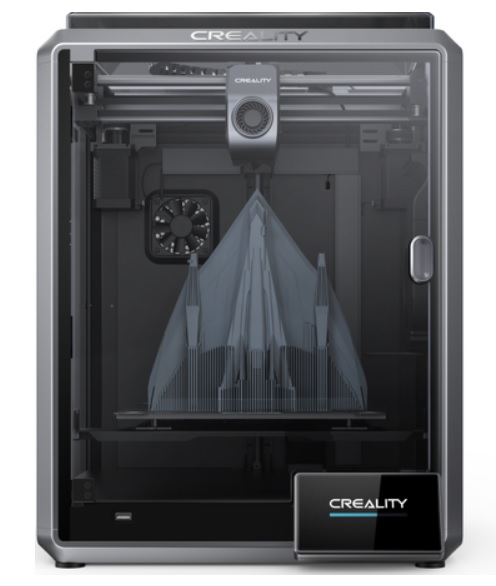
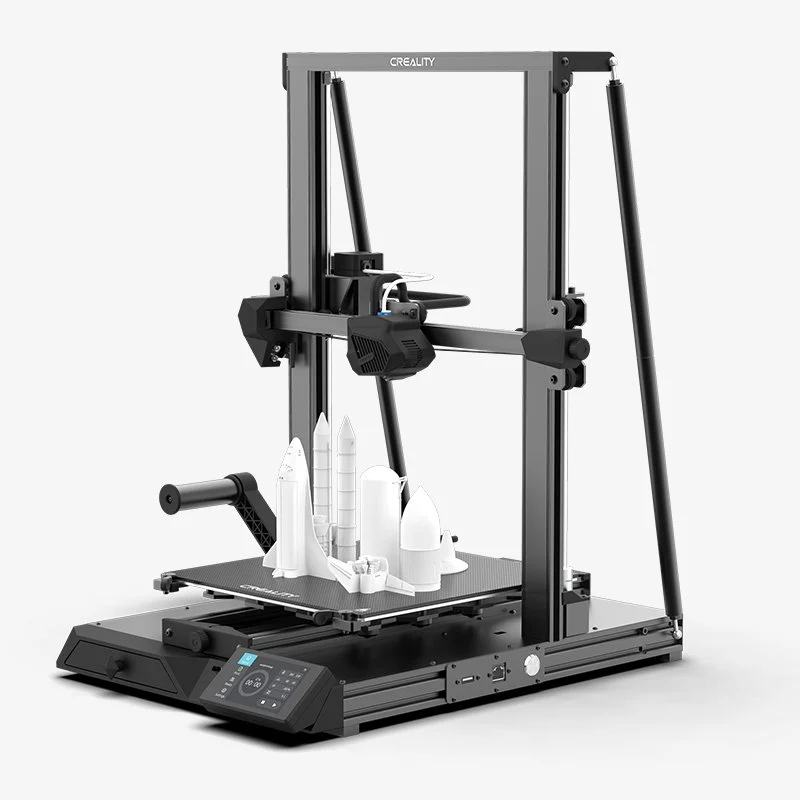
Compare Creality 3D K1C vs Creality 3D CR 10 Smart
Comparison between the best 3D printers
Choose the best 3D printer at the best price. The cheapest 3D printers are here.
Buy a 3D printer here with 3D Fila.
 |
 |
|
| Model | Creality 3D K1C[BUY K1C] |
Creality 3D CR 10 Smart[BUY CR 10 Smart] |
| Printing Material | Filament | Filament |
| Estimated price | $449,00 | $520,00 |
| Date of registration in the system | ||
| Manufacturer | Creality 3D | Creality 3D |
| Release Year | 2024 | 2021 |
| Print Volume [mm] | 220x220x250 | 300x300x400 |
| Printer Size [mm] | 355x355x480 | 578x522x648 |
| Weight [kg] | 12,4 | 14 |
| Power Loss Recovery | YES | YES |
| Enclosed printer | YES | NO |
| Bed Leveling | Automatic | Automatic |
| Filament End Sensor | YES | YES |
| Bed type | Heated | Heated |
| Power supply system | Direct Drive | Bowden |
| Standard nozzle | 0,4 | 0,4 |
| Maximum Nozzle Temperature [°C] | 300 | 260 |
| Maximum Bed Temperature [°C] | 120 | 100 |
| Maximum printing speed [mm/s] | 600 | 200 |
| Filament holder | YES | YES |
| Camera for supervision | YES | NO |
| Recommended filaments | ABS, PLA, PETG, PET, TPU, PA, ABS, ASA, PC, PLA-CF, PA-CF, PET-CF | PLA, PETG, Tritan, Flex, ABS |
| Recommended slicers | Creality Print; Cura, Simplify3D e PrusaSlicer | Cura, Simplify, Slic3r, IdeaMaker |
| Maximum Resolution [mm] | 0,1 | 0,1 |
| Kinematics | - | - |
| Extruder Type | - | - |
| Klipper Firmware | NO | NO |
| Input Shaping | NO | NO |
| Max Volumetric Flow [mm³/s] | - | - |
| Power Supply | 110/220V / 350W | 110/220V / 350W |
| Connectivity | Ethernet / USB / Wi-Fi | SD / USB / Wi-Fi |
| Release date | 2024 | 2021 |
| Extra features | The Creality K1C is a fully enclosed CoreXY 3D printer featuring an all-metal extruder, tri-metal âUnicornâ nozzle for abrasive materials, automatic bed leveling with nozzle cleaning, AI-assisted failure detection, built-in camera for timelapse, enhanced cooling system, root access to Klipper firmware, and compatibility with PLA-CF, PA-CF, PET-CF, TPU, ABS, and more. | The Creality CR-10 Smart stands out for its stability, with a dual Z axis and additional supports, minimizing oscillation in high prints. Its redesigned hotend offers better cooling, expanding the range of usable materials. The glass printing surface, with automatic leveling, facilitates the adhesion and removal of parts. Includes Wi-Fi / LAN connection and automatic shutdown after printing, adding convenience and efficiency. It features an effective single-gear extruder and an intuitive touchscreen interface, despite some firmware issues. |
| Support for multiple colors and materials (AMS and CFS) | NO | NO |
Notes * |
||
| Cost-benefit | 8 / 10 | 7 / 10 |
| Hardware | 4.8 / 10 | 2 / 10 |
| Screen | . | . |
| Print volume | 10 / 10 | 10 / 10 |
| Performance | 10 / 10 | 7 / 10 |
| [BUY K1C] | [BUY CR 10 Smart] |
Conclusion |
Conclusion: Comparing the K1C and CR 10 Smart 3D Printers When evaluating the Creality K1C and CR 10 Smart 3D printers, it's essential to consider their strengths and weaknesses to determine which model best suits different user profiles. K1C (Creality 3D)
CR 10 Smart (Creality 3D)
Final Verdict For beginners or hobbyists who value ease of use and safety, the K1C is an excellent choice due to its enclosed design, high-speed capabilities, and advanced features that simplify the printing process. Its ability to print with a variety of materials makes it versatile for various projects. On the other hand, for experienced users or professionals who need larger build sizes and prioritize stability in prints, the CR 10 Smart offers the advantage of a larger print area and enhanced structural support. This model is perfect for those who regularly tackle larger projects and require reliable performance, despite its lower speed and potential firmware challenges. In conclusion, the best buy ultimately depends on the user's specific needs: choose the K1C for its speed and advanced features, or the CR 10 Smart for its size and stability. |