

Compare TwoTrees Bluer vs Creality 3D K1C
Comparison between the best 3D printers
Choose the best 3D printer at the best price. The cheapest 3D printers are here.
Buy a 3D printer here with 3D Fila.
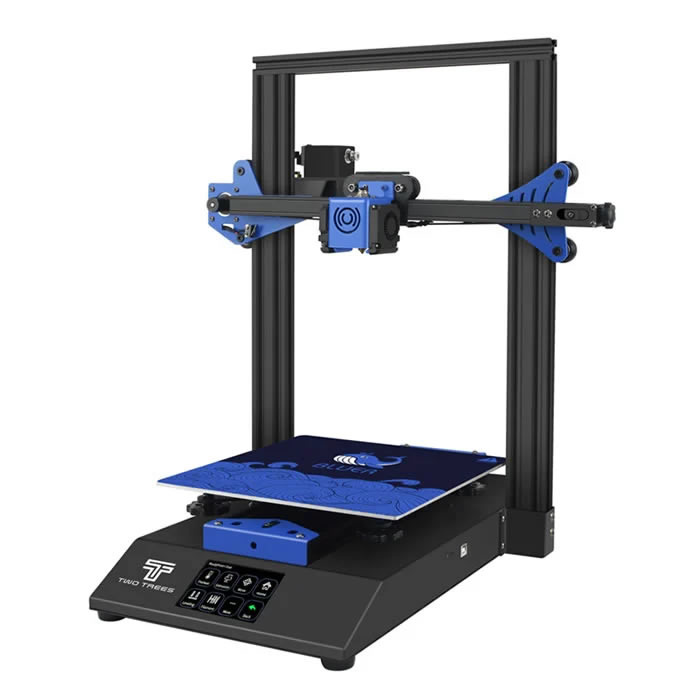 |
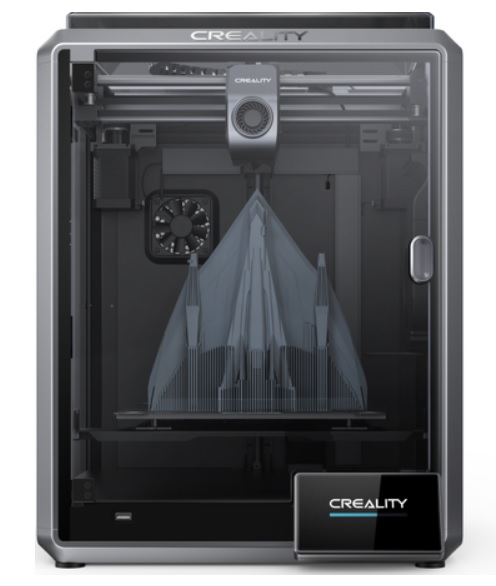 |
|
| Model | TwoTrees Bluer |
Creality 3D K1C[BUY K1C] |
| Printing Material | Filament | Filament |
| Estimated price | $169,00 | $449,00 |
| Date of registration in the system | ||
| Manufacturer | TwoTrees | Creality 3D |
| Release Year | 2019 | 2024 |
| Print Volume [mm] | 230x230x280 | 220x220x250 |
| Printer Size [mm] | 400x410x520 | 355x355x480 |
| Weight [kg] | 8 | 12,4 |
| Power Loss Recovery | YES | YES |
| Enclosed printer | NO | YES |
| Bed Leveling | Manual | Automatic |
| Filament End Sensor | YES | YES |
| Bed type | Heated | Heated |
| Power supply system | Bowden | Direct Drive |
| Standard nozzle | 0,4 | 0,4 |
| Maximum Nozzle Temperature [°C] | 260 | 300 |
| Maximum Bed Temperature [°C] | 100 | 120 |
| Maximum printing speed [mm/s] | 200 | 600 |
| Filament holder | YES | YES |
| Camera for supervision | NO | YES |
| Recommended filaments | PLA, PETG | ABS, PLA, PETG, PET, TPU, PA, ABS, ASA, PC, PLA-CF, PA-CF, PET-CF |
| Recommended slicers | Cura, Simplify, Slic3r | Creality Print; Cura, Simplify3D e PrusaSlicer |
| Maximum Resolution [mm] | 0,1 | 0,1 |
| Kinematics | - | - |
| Extruder Type | - | - |
| Klipper Firmware | NO | NO |
| Input Shaping | NO | NO |
| Max Volumetric Flow [mm³/s] | - | - |
| Power Supply | 240W | 110/220V / 350W |
| Connectivity | SD / USB | Ethernet / USB / Wi-Fi |
| Release date | 2019 | 2024 |
| Extra features | The Bluer offers interesting features such as automatic bed leveling, a 3.5-inch color touchscreen for easy operation, and a filament sensor to prevent print failures. It has a robust metal extruder and a generous 230 x 230 x 280 mm print volume, suitable for a variety of projects. The community mentions improvements made by Two Trees based on feedback, increasing its reliability. | The Creality K1C is a fully enclosed CoreXY 3D printer featuring an all-metal extruder, tri-metal âUnicornâ nozzle for abrasive materials, automatic bed leveling with nozzle cleaning, AI-assisted failure detection, built-in camera for timelapse, enhanced cooling system, root access to Klipper firmware, and compatibility with PLA-CF, PA-CF, PET-CF, TPU, ABS, and more. |
| Support for multiple colors and materials (AMS and CFS) | NO | NO |
Notes * |
||
| Cost-benefit | 8 / 10 | 8 / 10 |
| Hardware | 1 / 10 | 4.8 / 10 |
| Screen | . | . |
| Print volume | 10 / 10 | 10 / 10 |
| Performance | 7 / 10 | 10 / 10 |
| [BUY K1C] |
Conclusion |
Conclusion: A Comprehensive Comparison of the Bluer (TwoTrees) vs. K1C (Creality 3D) When choosing between the Bluer from TwoTrees and the K1C from Creality, several factors come into play, including technology, build volume, features, and user experience. Each printer has its unique strengths and weaknesses, making them suitable for different types of users. Bluer (TwoTrees)
K1C (Creality 3D)
Final Verdict: For beginners or casual users, the Bluer (TwoTrees) is the best buy due to its affordability, ease of use, and adequate features for standard printing needs. Its larger build volume and community support make it a reliable choice for those just entering the world of 3D printing. On the other hand, for advanced users or professionals, the K1C (Creality 3D) is the superior option. Its enclosed design, high-speed capabilities, and compatibility with a wider range of materials make it ideal for more complex projects and demanding applications. While it comes at a higher price, the advanced features and efficiency it offers justify the investment for serious 3D printing enthusiasts. |